Desktop vs Mobile Trading for Funded Traders
Desktop vs web vs mobile trading platforms for funded traders: execution, charting depth, real costs and prop-rule risk compared, plus the hybrid set-up that passes.
By Marcel Hambálek · Senior Trader, For Traders
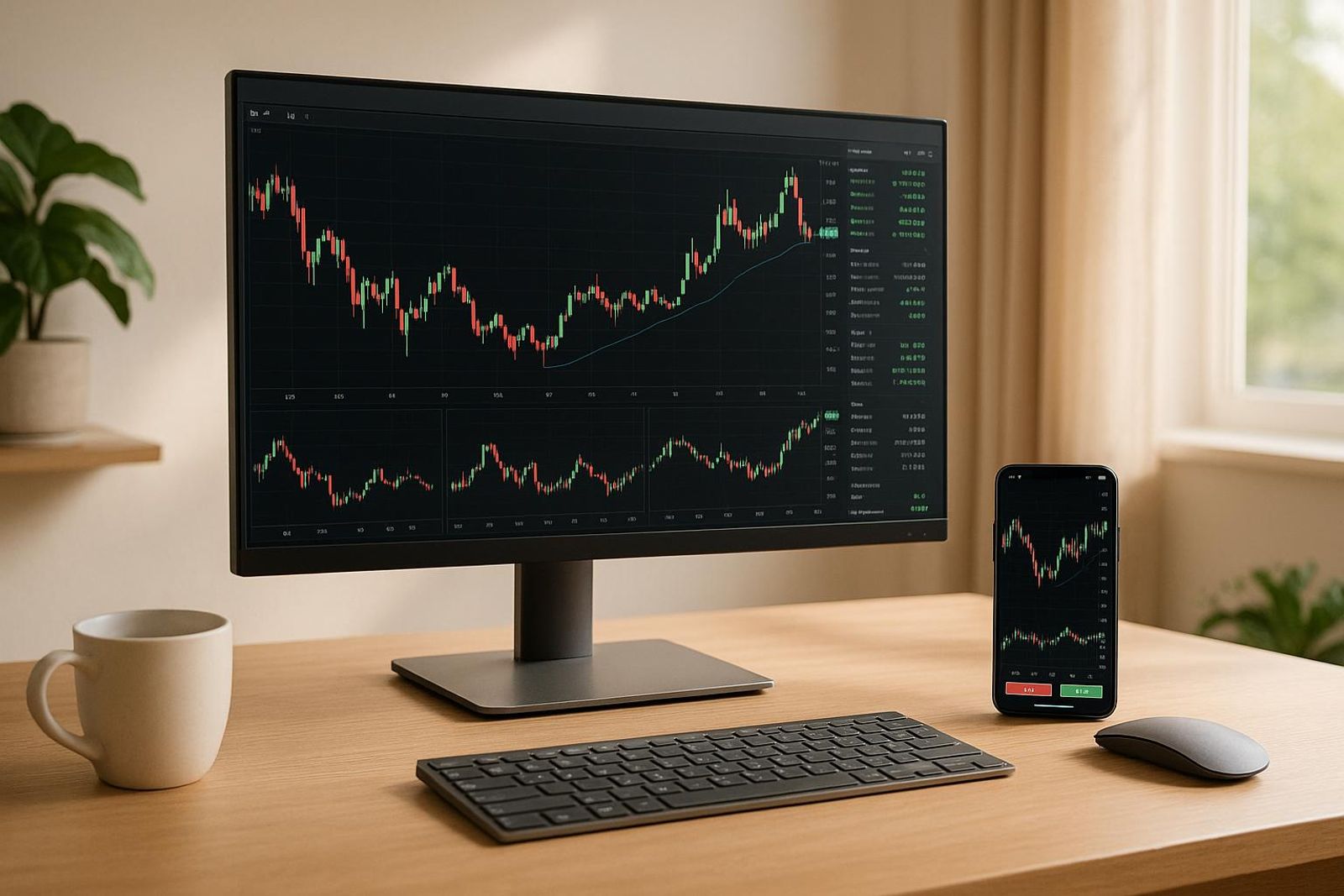
For funded traders, a desktop terminal wins on execution speed, information density and automation; a browser-based web platform is the best all-round compromise with zero install and near-desktop charting; a mobile app is for managing open trades and alerts, not for building them. Most traders who pass evaluations run desktop or web for entries and mobile for monitoring.
Key takeaways
- Desktop terminals (MT5, NinjaTrader, TWS) still lead on order-ticket precision, hotkeys, multi-monitor layouts and Expert Advisors — the gap versus mobile is real, not marketing.
- Browser-based platforms like DXtrade, cTrader Web, Match-Trader and TradingView now cover 80-90% of what a funded trader needs, with nothing to install and instant device switching.
- Mobile apps have closed the gap on order types and charting but lose on input latency, screen real estate and the cash-open crush — fills and slippage genuinely differ by device.
- Cost is where the three diverge most: web and prop-provided platforms usually bundle data and platform access, while desktop futures set-ups can add CME data fees and VPS hosting on top of your challenge fee.
- Mobile-only workflows raise breach risk against daily loss limits and trailing max drawdown because it's easier to overtrade and harder to see your remaining buffer.
- The hybrid set-up — analyse and place on desktop or web, manage and monitor on mobile — is what most consistently rewarded funded traders actually run.
Watch: related video
Desktop vs web vs mobile at a glance
Desktop wins on execution speed, charting depth and automation. Web platforms are the best all-round compromise. Mobile is for managing trades you already opened, not for building them. If you're running a funded account on gold, indices and CME futures part-time around a day job, that one-line answer decides more of your setup than any indicator ever will.
Forget "it depends on your trading style." That answer worked when your own capital was on the line and the only consequence of a slow fill was a worse entry. On a funded account, a slow fill can eat your daily loss limit before you've even seen the full move. The device you trade from interacts directly with the rules the prop firm enforces — so the real judging criteria for a funded trader platform comparison in 2026 are: fill quality, information density, cost, and how cleanly the platform respects your risk parameters.
The three-way scorecard
| Criteria | Desktop (MT5 / DXtrade) | Web (cTrader / TradingView) | Mobile app |
|---|---|---|---|
| Execution / fill quality | Fastest — direct connection, no browser overhead | Near-desktop, slight latency | Usable but risky on fast-moving gold spikes |
| Charting depth | Deepest — multi-monitor, custom indicators | Very strong, especially TradingView layouts | Basic — fine for a glance, not for analysis |
| Information density | Highest — order book, multiple timeframes at once | High, one screen at a time | Lowest — single chart, small tape |
| Automation / EAs | Full support (MetaTrader 5, cTrader cBots) | Limited or none | None |
| Cost / setup | Free, needs install + capable hardware | Free, zero install | Free, lightest footprint |
| Portability | None — tied to a machine | Any browser, any device | Full — trade from anywhere |
What each device is genuinely best at
Desktop earns its keep in the first hour after London or New York open, when spreads on XAUUSD and NSDQ widen and you need every millisecond of fill speed and a full depth-of-market view. Web platforms like cTrader or a TradingView-linked feed close that gap to within a few milliseconds for most retail purposes, with none of the install friction — you log in on a hotel laptop and your charts, alerts and layouts are exactly where you left them. Mobile's job is narrower and more honest: manage an open CME futures position, get pinged on a trailing stop, close out before you walk into a meeting.
Who should use which
If you're a part-time trader working gold, indices and CME futures around a day job, you don't get to choose one device — you get to choose which device does which job. Build and enter trades on desktop or web where the charting and automation live; use mobile strictly for monitoring and emergency exits, never for opening new risk against a daily loss limit you can't see clearly on a 6-inch screen.
Bottom line: for most funded traders in 2026, web platform for entries, mobile for monitoring is the default that survives an evaluation without demanding a second monitor or a dedicated trading laptop.
Execution and fill quality: why your device changes your fills
Your fill isn't just about your broker's server — it's the sum of three delays: how long it takes you to build the order, how long the packet takes to reach the server, and what liquidity looks like the instant it arrives. A desktop terminal shortens the first delay to almost nothing. A phone stretches it by 2-4 seconds at the exact moments those seconds cost the most.
Input latency vs connection latency — which one actually costs you pips
Connection latency — the round trip from your device to the server — is usually 20-80ms on wired ethernet, maybe 100-200ms on decent Wi-Fi, and anywhere from 150ms to over a second on cellular during a handover between towers. That's real, but it's small next to input latency: the time between "I want out" and the order actually leaving your device. On a desktop with a hotkey bound to a market order, that's under half a second. On a phone, tapping the position, tapping close, sliding to confirm, and waiting for the app to render the confirmation screen is routinely 2-4 seconds. During a calm session that gap is irrelevant. During a spike it's the difference between your stop and a requote three pips worse.
Order ticket ergonomics: hotkeys and DOM vs swipe-and-confirm
A desktop terminal gives you one-click order entry from the DOM or chart trader ladder — click the bid, click the ask, done. Hotkeys let you flatten, reverse, or scale out without touching the mouse. A mobile trading app deliberately adds friction — tap, confirm, sometimes a biometric check — because a fat-finger swipe on a 6-inch screen is a real risk the platform is designing against. That friction is a feature for casual checking and a liability when you need to act now. This is the core of the mobile trading app vs desktop platform for slippage debate: it's not that the phone's connection is worse, it's that the ticket is built for caution, not speed.
Behaviour at the cash open, FOMC and NFP
Watch XAUUSD during the London-New York overlap or US100 NSDQ futures in the seconds around the 09:30 ET cash open — spreads widen, then liquidity floods back in within a minute or two as market makers reprice. Slippage and fill quality at that moment are mostly a function of available liquidity, not your device; a market order will slip on a desktop too if the book is thin. But the 2-4 seconds a phone adds on top of that thin window is entirely on you, not the market. Around scheduled FOMC statements and NFP releases, spreads on gold and index futures can widen several-fold for 30-90 seconds — reacting a few seconds late on mobile means you're pulling the trigger right as spreads normalize back out, after the move already happened.
Practical fix: if you know you'll be on your phone during a scheduled release, don't plan on market orders. Pre-stage resting limit or stop orders before the event window opens, so execution happens on the server side without needing your input latency at all.
Information density: how much market you can actually see
Screen real estate decides how much context you hold in view versus how much you have to hold in your head — and for a funded trader running a daily loss limit, what you can't see is what blows the account. Desktop wins this outright, web platforms get you 80% of the way there in a single tab, and mobile gives you exactly one chart and asks you to remember the rest.
Multi-monitor desktop: charts, news, calendar, position management
A proper multi-monitor trading setup lets you dedicate one screen to your entry timeframe, another to the higher timeframe you use for bias, a third to the economic calendar and news feed, and a fourth to open positions and the DOM. MetaTrader 5 layouts let you save this exact arrangement as a template — indicator stacking, colour schemes, chart types — and reload it in one click when you sit down for the session. Right-click order management, keyboard shortcuts for partial closes, and drag-and-drop stop adjustment all shave seconds off decisions that matter most during volatile legs. This is the workflow behind most desktop-first trading setups you see in funded trader offices: not because it looks impressive, but because nothing is hidden behind a tab you forgot to open.
Web platforms and the single-tab compromise
Web platforms compress most of that into one browser tab, and they've gotten genuinely good at it. TradingView multi-chart layouts let you tile four or six charts inside a single window, and cTrader Web supports detachable chart panels you can drag onto a second monitor if you've got one. You lose a bit of the native right-click depth and some of the hotkey speed you'd get from an installed MT5 terminal, but for someone deciding between desktop vs web vs mobile trading platforms without wanting to install anything, this is the best desktop and mobile trading experience middle ground — near-desktop density, zero install, works on a borrowed laptop mid-evaluation.
One chart at a time — what mobile forces you to give up
Mobile shows you one chart. That's it. Trading on phone vs laptop isn't really a feature comparison at that point — it's an admission that your higher-timeframe context now has to live in your head, or in a saved layout and a watchlist with price alerts doing the remembering for you. A mobile-first workflow can still work, but only if you've already decided your bias, your levels and your invalidation before you opened the app. The fewer screens you have, the more of your plan has to be written down before the session starts — mobile doesn't punish spontaneity, it just removes the screen space that used to absorb it.
What each option actually costs in 2026
The direct answer: a web platform bundled with a prop firm evaluation is the cheapest way to get a screen you can actually trade on — often under $30 all-in — while a self-built retail futures desktop can quietly stack $150-$300 a month before you've placed a single trade. Nobody in this space prices it out line by line, so traders end up comparing "desktop vs web vs mobile" on feel instead of on the invoice.
Platform access fees: what's bundled and what isn't
Run a challenge with a prop firm and the platform — DXtrade, cTrader, Match-Trader or MT5 — comes with the entry fee. No separate licence, no monthly rental. Go the retail futures desktop route on your own and you're often paying for the terminal itself: NinjaTrader licence cost alone runs from a free base tier up to several hundred dollars for a lifetime lease with advanced order types and add-ons, before you've touched data or a broker.
Market data feeds — CME, equity indices and level 2
This is where the retail desktop route gets expensive fast. Real-time CME Group futures data — the feed you need for gold, index futures and most of what funded futures traders actually trade — is billed separately from your platform and separately again if you want level 2 depth. A prop firm's simulated environment sidesteps this entirely: the price feed is part of the challenge, whether you're on desktop, web or mobile.
VPS hosting, and when you genuinely need one
VPS hosting for trading (roughly $10-$30/month) keeps an Expert Advisor or a copy-trading setup running 24/5 without your laptop staying open. If you're running automation or you can't be at your desk when a session opens, it's close to essential — a dropped connection at the wrong candle can turn a managed trade into a blown daily loss limit. If you're discretionary and you close positions before you sleep, it's optional overhead you don't need yet.
Evaluation fees and the total cost of getting funded
The number that actually matters is total cost to a funded account, not platform cost in isolation.
| Cost item | Desktop (retail futures) | Web (prop firm) | Mobile (prop firm) |
|---|---|---|---|
| Platform access | Extra (NinjaTrader licence) | Included | Included |
| Market data feed | Extra (CME + level 2) | Included | Included |
| VPS hosting | Optional | Optional | N/A |
| Hardware | Extra (multi-monitor rig) | Any laptop | Any phone |
| Challenge/entry fee | N/A (self-funded) | From $23 | From $23 |
For Traders challenge entries start at $23 and scale up to $300,000 in simulated funded capital, with platform access included on every tier — no separate data invoice, no NinjaTrader licence to negotiate. Bottom line: if you're pricing out desktop vs web vs mobile trading platforms for 2026, the web path bundled into an evaluation is the cheapest route to a real screen, and the challenge fee is the only line item you actually pay.
TWS vs IBKR Mobile — and what it tells you about prop platforms
Short answer: Interactive Brokers Trader Workstation is still the ceiling for desktop feature depth, IBKR Mobile keeps every order type that matters for entries and exits, and the only thing it genuinely drops is automation and workspace layout — a pattern that repeats almost identically across the platforms funded traders actually use, from DXtrade to cTrader to MT5.
Interactive Brokers Trader Workstation: the maximalist desktop terminal
Interactive Brokers Trader Workstation (TWS) is the reference point people search for when they ask "are broker trading apps as good as desktop platforms now" because it's the most feature-dense retail-adjacent terminal in existence. Hundreds of order types, algo execution tools (VWAP, TWAP, Adaptive), option strategy builders with live Greeks, custom scanners, and a workspace you can tile across four monitors if you want to. It's built for someone who trades as a second job and treats the terminal like a cockpit. Most funded traders never touch a third of it — but the depth is why prop desks and serious retail traders keep it installed even when they execute elsewhere.
IBKR Desktop and IBKR Mobile: what survives the shrink
IBKR Desktop is the modernised, lighter build — same execution engine, cleaner UI, less of the 2005-era clutter TWS carries. IBKR Mobile is the real test case for the desktop-to-mobile gap: it keeps market, limit, stop, stop-limit and bracket orders, live charting with a real indicator set, and price alerts that push to your phone. What it drops is the algo depth (no VWAP/TWAP execution), multi-leg options staging, and any real workspace customisation. You can manage a position on IBKR Mobile with full confidence. You cannot build a complex spread on it.
Mapping the same gap onto DXtrade, cTrader, MT5 and Match-Trader
The same split shows up across every platform funded traders actually run evaluations on:
| Platform | Desktop/Web strength | Mobile limitation |
|---|---|---|
| DXtrade | Full charting, order staging, watchlists on web | App trims advanced order panel and multi-chart layouts |
| cTrader | Desktop has cBots (automation) and full Depth of Market | cTrader Web and mobile drop bot deployment entirely |
| MT5 | Terminal runs Expert Advisors — automated strategies, custom indicators | MT5 mobile never runs Expert Advisors, full stop |
| Match-Trader | Web-first design, near-identical desktop and browser experience | Mobile app is monitoring-focused, lighter charting toolset |
The pattern is consistent enough to state plainly: the desktop-to-mobile gap in 2026 isn't about basic order types anymore — market, limit, and stop orders work fine everywhere. It's about automation and workspace. If your edge depends on Expert Advisors, cBots, or algo execution, you're desktop-bound, full stop. If your edge is discretionary entries with a clean chart, web or mobile gets you 90% of the way there — which is exactly why the "mobile lost the feature war but won the parity war" framing holds up across every platform in this table, not just Interactive Brokers.
Ready to trade funded capital?
Choose your path — Instant Accounts, One-Step or Two-Step Challenges — from just $23, with up to $300,000 in funded capital.
Choose your challengeTrading CME futures across desktop, web and mobile
Short answer: build futures entries on desktop or web with a full DOM ladder, and reserve mobile for flattening positions, trailing stops and reacting when you're away from your desk. Futures order flow moves in ticks, not pips, and the DOM (depth of market) is the tool that shows you where size is sitting — something no phone screen displays well.
NinjaTrader and Tradovate: desktop DOM vs mobile ladder
NinjaTrader and Tradovate both run a real-time DOM ladder on desktop that lets you click-to-order at any price level, scratch a bad fill with one click, and stack bracket orders (entry, stop, target) before the candle even closes. That's the standard toolkit funded futures traders use to trade CME Group futures — micro and mini index contracts, gold futures — with any precision. Their mobile apps carry the same account and the same positions, but the ladder is condensed: fewer visible price levels, slower tap-to-modify, and no meaningful market depth at a glance. Fine for checking your fill or bumping a stop. Thin for scalping a five-tick range around the RTH open.
Tick values, contract sizing and why futures punish fat fingers
A standard E-mini S&P (ES) tick is worth $12.50; the Micro E-mini (MES) tick is $1.25 — a 10x difference that exists specifically so smaller accounts can size down. Gold futures (GC) run $10 a tick, while Micro Gold (MGC) runs $1. Mis-click the wrong contract size on a cramped mobile ladder — hit ES instead of MES, or forget you're in GC not MGC — and you can eat a meaningful chunk of your daily loss limit on a single fill. This is the core reason futures entries belong on a bigger screen: the DOM shows contract and size clearly before you click, a mobile ladder makes you trust muscle memory. Session structure matters here too — Asia session liquidity is thin, London brings the first real volume, and the RTH open is where spreads tighten and slippage risk actually drops. Building entries around those windows, on a platform where you can see the book, is what separates funded futures traders from the ones who blow an account on a fat-fingered lot size.
Is phone-only futures trading viable?
Not for entries — not yet. You can absolutely trade futures on desktop and mobile in combination: build the trade plan and place the entry on desktop or web with the DOM open, then hand off to mobile for managing the trade, trailing your stop, or flattening if a headline hits while you're at lunch. Phone-only entry trading in futures remains the weakest use case across every platform we've tested, precisely because tick-level precision and contract sizing are where mobile screens fall shortest.
Switching between desktop and mobile on one funded account
Your risk lives on the server, not on your device — so switching between desktop and mobile trading with one account is instant for anything tied to your funded account, and manual for anything tied to your workspace. Open a position on your laptop at your desk, close the lid, and pick it up on your phone on the train: the trade is exactly where you left it, because the broker or prop firm's server — not your terminal — is holding the state.
One login, one account: what syncs instantly
Anything that lives on the account syncs the moment you authenticate on a new device:
- Open positions and pending orders
- Stop-loss and take-profit levels
- Account balance, equity, and margin
- Drawdown counters and daily loss limit tracking on evaluation accounts
- Order history and closed-trade P&L
This is cross-device sync trading platform behaviour by design — how do trading platforms support mobile trading without you re-entering your whole book by hand? They don't store the book on the phone at all; the app is a window into the server. Log into MT4, MT5, or cTrader mobile with the same credentials you use on desktop and your open XAUUSD swing shows up with the identical stop, no transfer step required.
What doesn't carry over between devices
What lives locally on the machine stays there. This is the gap traders get burned by mid-evaluation.
| Syncs automatically (server-side) | Stays local (device-side) |
|---|---|
| Positions, stops, take profits | Chart templates and indicator setups on non-cloud platforms |
| Account balance and equity | Manual drawings and markups (unless on a cloud-synced tool) |
| Drawdown and daily loss limit counters | Hotkey and layout profiles |
| Order history | Desktop-run Expert Advisors — they stop the instant the terminal closes, unless hosted on a VPS |
| Pending order queue | Push-notification settings, which you set separately per device |
TradingView is the one honest exception worth naming — cloud-synced charts TradingView built its whole reputation on mean your layouts, drawings, and alerts follow you across desktop, web, and mobile the same way your positions do. Most retail MT4/MT5 setups don't offer that, which is part of why more prop firms are integrating trading platforms designed for both desktop and mobile use around a TradingView-style front end rather than a legacy terminal alone.
A clean device-switch routine mid-trade
- Confirm your stop-loss is a real server-side order, not a mental stop or a desktop alert you have to act on manually
- Set a price alert on the level you actually care about, not just the stop
- Open the mobile app before you leave the desk and confirm you're logged in, not just installed
- Test biometric login once — a failed Face ID at the worst moment costs you the fill
- If you're running an EA, confirm it's on a VPS; if it's running locally, closing your laptop kills it
Do that thirty-second check every time and the device switch stops being a risk event. Skip it once, on the wrong trade, and you'll find out the hard way what "local" actually meant.
Device choice and prop risk rules: where mobile gets expensive
The rule doesn't change by device. Your ability to see the rule does — and that gap is where evaluations get busted. Every prop firm rule set boils down to two numbers: your daily loss limit and your max drawdown. Desktop can keep both pinned next to your chart all session. Mobile buries them behind two taps, and that's the difference between a managed loss and an account breach you didn't see coming.
Daily loss limit: can you see your remaining buffer at a glance?
On a desktop layout, you can dock your daily loss limit and remaining buffer as a permanent widget next to price — glance, not tap. That constant visibility changes behaviour before you even place a trade: you size the next position against what's actually left, not what you assume is left. On a phone, that number sits inside an account tab. If you're managing a live position and price moves against you, checking your buffer means leaving the chart, tapping through a menu, and coming back — friction most traders skip under pressure. They re-enter a losing trade "just to get it back" without confirming they're not already one bad fill from their daily loss limit and max drawdown ceiling. Desktop removes the excuse; mobile removes the visibility.
Trailing max drawdown and the high-water mark you can't see on a phone
Trailing max drawdown is the rule traders misjudge most, and it's not because they don't understand it — it's because they can't see it move. Unlike a static max DD, the trailing version follows your equity high-water mark upward every time you bank a new peak, then locks the floor there. So a trader who was comfortably inside their buffer on Monday can be one green session away from a much tighter ceiling by Wednesday, and if you're only checking equity on mobile after the trade's closed, you're finding this out retroactively. On desktop, you can chart the trailing line live against your equity curve and watch the floor climb in real time. That single view is often the difference between a trader who scales down deliberately near the high-water mark and one who blows through a drawdown limit they genuinely didn't know had moved.
Overtrading, notifications and the boredom trade
Here's the honest part: mobile doesn't break prop firm rules, it removes the friction that used to stop you breaking them. A push notification pings you into a chart you weren't planning to check. The order ticket is one tap away, always. Sit in a queue at the grocery store with a live account and an itchy thumb, and the boredom trade — the one with no setup, no plan, just "price is moving" — becomes a real category of evaluation failure, not a hypothetical one. This is overtrading in its purest form: frequency driven by access, not by signal.
The countermeasures are simple and unglamorous:
- Set your stop and target at entry, every time — never plan to manage a trade manually from a notification.
- Write down your pre-session risk number before the first trade. If mobile shows you're near it, that's your stop signal, not a suggestion.
- Strip your phone notifications down to price alerts on levels you already planned for — nothing else earns a buzz on your wrist.
Good risk management on a funded account isn't about which device is smarter. It's about which device tells you the truth before you act.
Security across three devices
The short answer: on any reputable platform, the weak point is almost never the software — it's the device and the login sitting in front of it. Desktop, web, and mobile trading platforms all rely on the same backbone of AES-256 encryption at rest and TLS encryption in transit, so your trade data and account credentials are scrambled the same way whether you're on a laptop or a phone. Security failures happen at the edges: a stolen phone, a saved password in a browser autofill, a coffee-shop router. Get the device hygiene right and the form factor barely matters.
2FA and biometric login
Two-factor authentication and biometric login should be non-negotiable on every account tied to a funded challenge, no exceptions. Mobile has a genuine edge here — Face ID or fingerprint unlock is harder to shoulder-surf or phish than a typed password on a shared or work laptop, and it takes one second longer than swiping past it. If your platform offers an authenticator app or hardware key option on top of SMS 2FA, use it; SMS is the weakest link in the 2FA chain and it's the one attackers target first.
AES-256 and TLS encryption in transit
AES-256 protects your data sitting on the server, TLS protects it while it's moving between your device and that server — together they cover both ends of the pipe. This is standard across desktop terminals, browser platforms, and mobile apps alike, so don't let a platform's marketing around "military-grade encryption" be the deciding factor between devices. It's table stakes, not a differentiator. What differs between devices is what happens after the encrypted packet lands on your screen — and that's on you.
Device-level risk: public Wi-Fi, patching and malware
Public Wi-Fi trading risk is real and asymmetric: an open airport or café network is exactly where session tokens and credentials get intercepted, and a funded account is a more attractive target than most people's email. Desktops carry their own baggage — years of accumulated browser extensions, unpatched software, and forgotten login sessions on machines shared with family or colleagues. Neither device is inherently safer; each has a different failure mode.
A practical checklist that costs you nothing and closes most of the gap:
- Keep your OS, browser, and trading app patched — don't defer updates on the machine you trade from.
- Avoid trading over open public Wi-Fi; use a trusted network or a VPN if you must connect on the road.
- Never store trading account credentials in plain notes, email drafts, or unencrypted password managers.
- Log out of web platform sessions on any shared or public machine — don't rely on the tab closing itself.
The safest device for trading account security isn't desktop, web, or mobile — it's whichever one you keep patched, locked, and 2FA-protected without exception.
Is a mobile-only workflow enough for a funded account?
Pros
- Trade and manage positions from anywhere — genuinely viable for part-time traders working around a job
- Push notifications and price alerts mean you never miss a level or a scheduled release
- Biometric login and 2FA make the phone one of the harder devices to compromise
- Modern apps carry market, limit, stop, bracket and trailing orders — the order-type gap is largely closed
- Zero platform cost and no VPS required for a discretionary, alert-driven approach
Cons / risks
- One chart at a time kills multi-timeframe context and cross-market confirmation
- Input latency and tap-confirm tickets cost you seconds at the cash open and on FOMC or NFP
- Remaining daily loss limit and trailing max drawdown are buried instead of permanently visible
- No Expert Advisors, no hotkeys, no DOM ladder — automation and scalping are off the table
- Constant access lowers the friction that prevents impulsive, unplanned trades
Ready to trade funded capital?
Choose your path — Instant Accounts, One-Step or Two-Step Challenges — from just $23, with up to $300,000 in funded capital.
Choose your challengeFrequently Asked Questions
Desktop vs web vs mobile trading — which should you use?+
The strongest funded traders run all three, each for a different job: desktop for execution and charting during active sessions, web as a lightweight backup, and mobile for monitoring and managing risk on the go. Desktop terminals like TWS, DXtrade, or cTrader desktop give you deeper order types, multi-monitor charting, and hotkeys that matter during volatile opens. Mobile apps have closed the gap for checking positions, adjusting stops, or closing trades fast, but they're not built for discovering new setups. Treat the choice as complementary, not either/or.
Is it better to trade on your phone or your laptop?+
For entries and active management, your laptop or desktop wins because you get full charting, multiple timeframes, and faster order execution without a small screen slowing you down. Phone trading works well for reacting to alerts, trimming risk, or closing a trade when you're away from your desk. The real risk with phone-only trading is fat-fingering size or missing context on a chart that's been squeezed into a 6-inch screen. Most funded traders default to desktop for planning and mobile for damage control.
Are prop trading apps as full-featured as desktop platforms?+
Mobile apps have narrowed the gap significantly but still trail desktop terminals on advanced order types, indicator depth, and multi-chart layouts. Platforms like DXtrade and cTrader now sync watchlists, orders, and account data in real time between desktop and mobile, so basic execution feels nearly identical. Where the gap remains is in tools like custom scripting, deep backtesting, and complex conditional orders — these still live on desktop. If your strategy depends on nuanced order management, don't rely on mobile as your primary interface.
How do IBKR TWS and mobile compare to DXtrade or cTrader?+
Interactive Brokers' TWS desktop terminal is built for professional order flow — algo orders, complex option chains, and deep market depth — while IBKR mobile strips this down to essentials for monitoring and quick execution. Prop platforms like DXtrade and cTrader take a more unified approach: their mobile apps mirror desktop functionality more closely because the product is designed as one system across devices rather than a legacy desktop tool with a mobile app bolted on. If you're used to TWS-style depth, expect prop platforms to feel simpler but more consistent across devices.
Which platform minimizes slippage during high-volume news events?+
Desktop terminals generally minimize slippage and failed fills during high-volume opens and news releases like NFP or FOMC because they offer faster order routing, more reliable connections, and better order-type control. Mobile apps depend on cellular or Wi-Fi stability, which introduces lag exactly when speed matters most. If you're trading through scheduled news events on a funded account, plan to be at your desktop, not reacting through a phone screen with a shaky connection. This isn't about brand loyalty — it's about execution reliability when spreads widen.
Can you trade CME futures smoothly on both desktop and mobile?+
Yes in practice, but with real trade-offs — CME futures trading works on both, but desktop terminals give you DOM (depth of market) ladders, one-click order execution, and tick-level charting that mobile apps generally can't replicate. Futures prop trading is one of the fastest-growing segments on platforms like For Traders precisely because desktop tools matter more here than in forex or gold. Mobile futures apps are improving fast for monitoring positions and managing daily loss limits remotely, but scalping index futures off a phone screen is a hard way to trade.
Does switching between desktop and mobile sync your funded account?+
On modern platforms, yes — your open positions, pending orders, balance, and daily drawdown all sync in real time between desktop and mobile on a single funded account. This matters for prop trading specifically because your daily loss limit and max drawdown are calculated continuously, not per device, so you need accurate real-time data wherever you're checking. Latency in syncing is rare on platforms like DXtrade and cTrader, but always confirm your fill and balance on-screen before assuming an order executed, especially during fast markets.
What does mobile trading cost versus a desktop setup?+
Mobile trading itself is typically free through your prop firm or broker's app, while a serious desktop setup adds real cost — data feeds, a VPS for uptime, multiple monitors, and sometimes platform licensing fees. Futures and options traders running desktop terminals with live data feeds can expect meaningful monthly costs beyond the challenge fee itself. Mobile-only traders avoid these costs entirely but sacrifice the charting and order-type depth that desktop setups provide. Budget for desktop infrastructure if your strategy depends on precision entries during active sessions.
Is a mobile-only workflow compatible with prop firm rules?+
It's possible but risky — daily loss limits and max drawdown rules on a funded account punish slow reactions, and mobile-only trading makes it harder to spot a drawdown breach forming in real time. Traders who run mobile-only successfully tend to use wider stops, lower frequency setups, and strict pre-set risk per trade so they're not making split-second decisions on a small screen. If your strategy involves scalping or tight R:R management near your daily loss limit, mobile-only is a genuine liability, not just an inconvenience.
Written by
Marcel Hambálek
Senior Trader, For Traders
Marcel trades Futures and Forex day-trading setups on funded accounts and writes about the executional details most traders skip — order types, slippage, session timing, platform quirks on MT5 and NinjaTrader. Pragmatic, mechanics-first, no fluff.
Follow on LinkedInReady to trade funded capital?
Choose your path — Instant Accounts, One-Step or Two-Step Challenges — from just $49, with up to $300,000 in funded capital.
Choose your challengeTrade up to $300,000
Choose challenge