

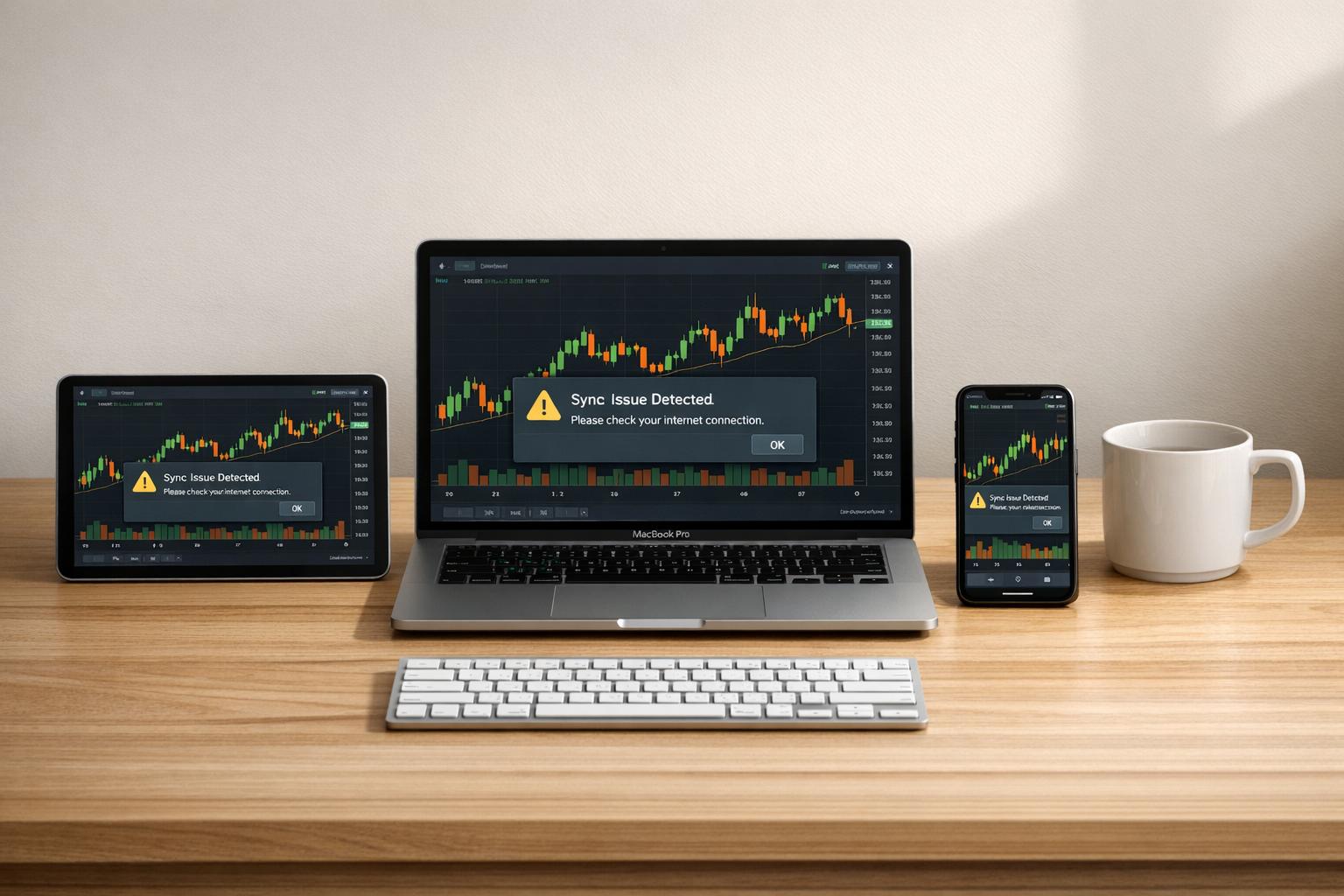
Cross-platform trading apps often leave traders frustrated due to inconsistent interfaces, unsynced data, app crashes, and delayed notifications. These issues can disrupt workflows, delay decisions, and even lead to financial losses. Here's a quick breakdown of the key challenges and solutions:
- Inconsistent Interfaces: Different layouts and navigation styles across devices confuse users and slow down decision-making.
- Data Syncing Problems: Outdated or conflicting data (e.g., watchlists, trade positions) can lead to errors and missed opportunities.
- Performance Issues: Cross-platform frameworks sometimes cause app crashes, slow updates, or unresponsive interfaces during critical moments.
- Delayed Notifications: Push notifications can lag, especially during high-volatility markets, leaving traders unaware of important changes.
Solutions:
- Unified Interfaces: Use frameworks like Flutter or React Native to ensure consistent layouts and navigation across devices.
- Reliable Data Syncing: Implement real-time technologies like WebSockets and robust conflict resolution systems to keep data accurate across platforms.
- Optimized Performance: Profile apps regularly, offload intensive tasks to native code, and use high-performance libraries to minimize crashes and lag.
- Timely Notifications: Leverage native push notification services and optimize backend systems for faster delivery.
Trading platforms like For Traders address these issues with multi-device synchronization, low-latency execution, and tools like AI-driven performance analysis to help traders stay efficient and informed. Testing your setup before live trading and clearing cache regularly can further improve your experience.

Cross-Platform Trading App Issues vs Solutions Comparison
Common Cross-Platform Issues in Trading Apps
Different User Interfaces Across Devices
Switching between devices often reveals a lack of consistency in layouts and navigation. For instance, iOS trading apps typically use bottom tab bars for navigation, while Android apps lean on top app bars or side drawers. On desktops, navigation might be sidebar-heavy with grid layouts, but the same features could be tucked away behind a "hamburger" menu on mobile.
It’s not just about where buttons are placed. Touchscreen devices require larger tap targets - at least 44×44 pixels - while desktops rely on hover states and precise mouse clicks. Even font rendering varies across operating systems, adding another layer of inconsistency.
"Consistency creates predictability - users know what to expect, where to tap, and how to interact".
The frustration grows when dealing with technical analysis tools. Features like trendlines, Fibonacci retracements, and custom indicators often fail to sync across devices. This forces traders to rebuild their setups when switching from desktop to mobile. Desktop platforms offer detailed charts and high data density, while mobile versions simplify interfaces, sometimes at the cost of essential features. These mismatches can disrupt workflows and slow down decision-making.
Much of this stems from developers adhering to different design standards. Apple's Human Interface Guidelines for iOS and Google's Material Design for Android dictate varying behaviors, screen sizes, resolutions, and aspect ratios. Additionally, browser rendering engines like Chrome’s Blink and Safari’s WebKit interpret code differently, leading to visual or functional bugs in web-based trading tools.
Beyond design inconsistencies, syncing data across devices adds another layer of complexity.
Data Synchronization Problems
When account balances, trade positions, or watchlists don’t align across devices, it can be a nightmare for traders. Imagine adjusting a stop-loss order on your phone during lunch, only to return to your desktop and see outdated settings. Such discrepancies occur due to network delays, simultaneous updates on multiple devices, or incomplete data transfers, leading to conflicting information.
The stakes are high - poor data quality costs U.S. organizations about $3.1 trillion annually. For traders, inaccurate data can lead to bad decisions, fragmented watchlists can cause delays, and unsynced risk parameters can result in unintended exposures.
"When you are transferring data between applications, incomplete updates, duplicate records, or format mismatches can result in inconsistencies. These issues can lead to conflicting or outdated information, thereby impacting trust in the data".
Synchronization challenges arise from brokers and data providers using varying API standards, each with different levels of reliability. With market data changing every millisecond, maintaining synchronization across iOS, Android, and web platforms demands ultra-low-latency infrastructure.
While data syncing poses its own hurdles, performance issues also plague cross-platform trading apps.
Performance Problems and App Crashes
Frameworks like React Native or Flutter, which enable cross-platform development, introduce a "translation" layer between the app’s code and device hardware. This abstraction increases startup times, consumes more RAM and CPU resources, and can cause UI stuttering during high-frequency updates like live price feeds.
Memory management is another challenge. Poor handling across frameworks can lead to memory leaks, slowing down apps or causing crashes. Most frameworks rely on a single thread for processing logic, so when calculating technical indicators or handling large market data, these tasks can block the UI thread. This makes the app unresponsive, which is disastrous for time-sensitive trades. Additionally, cross-platform apps consume 15% to 20% more battery than native apps due to the extra CPU cycles required for framework translation.
"Performance isn't just about speed - it's about user trust. When an app feels slow or unresponsive, users don't blame the development approach, they blame your brand".
Another bottleneck comes from network stack layers. Instead of using native networking, cross-platform frameworks add an extra layer, slowing down HTTP requests and data synchronization.
Delayed Push Notifications and Updates
In trading, even a 15-second delay in push notifications can mean missing out on critical price movements. iOS enforces stricter background activity limits than Android, which can delay updates when the app isn’t actively open. Cross-platform frameworks further slow down notification delivery by adding processing layers.
The problem worsens during high-volatility markets, where real-time updates are essential. If your app crashes or freezes, notifications might arrive all at once - or not at all. Additionally, mobile data connectivity issues can interrupt the push notification service, leaving traders unaware of crucial price changes or order updates.
How to Fix Cross-Platform Issues
Using Frameworks for Consistent User Interfaces
Modern frameworks like Flutter and React Native make it easier to maintain consistent user interfaces across platforms by using a shared codebase. Flutter employs its own rendering engine, Impeller, to ensure every pixel looks identical on all devices. React Native, on the other hand, utilizes native UI components through JavaScript. Between 2022 and 2024, React Native's share of new apps on the Apple App Store grew from 4.73% to 6.75%, while Flutter's market share rose from 10.15% to 11.07%.
To achieve uniform styling and responsive layouts, implement a centralized design system and adaptive UI logic using these frameworks. This approach can cut interface bugs by 28% and boost user retention by up to 40%. For platform-specific adjustments, use conditional logic like Platform.isIOS to apply guidelines such as Material Design for Android and Cupertino for iOS, all while maintaining a cohesive brand identity.
"Cross-platform app development isn't just about writing code once and running it everywhere - it's about making smart decisions that balance efficiency and user experience." - Vlad Koval, Tech Enthusiast
To catch UI inconsistencies early, integrate automated visual tests with golden baselines. This can help reduce UI-related incidents by up to 42%.
While interface consistency is important, ensuring data synchronization across devices is just as critical.
Setting Up Reliable Data Synchronization
Reliable data syncing relies on a centralized architecture with three key elements: a local store on the device, a remote API on the server, and a conflict resolver to manage simultaneous updates. Using two-way synchronization - a mix of push and pull strategies - combined with real-time technologies like WebSockets or Firebase can cut latency by up to 50% compared to traditional HTTP requests. This is especially important, as 72% of users expect their financial data to update instantly, and 57% will abandon an app if it lags.
To track changes made offline, employ methods like Dirty Flag systems or local change logs. When conflicts occur, tools like Version Vectors or Conflict-free Replicated Data Types (CRDTs) can reduce conflict rates by up to 75%, outperforming simpler approaches like "Last-Write-Wins".
Offline persistence is another must-have. Use local databases like SQLite or IndexedDB to ensure users can access data without an internet connection. Once connectivity is restored, background synchronization can automatically push changes to the server. Apps with effective offline functionality often see a 40% increase in user retention.
Given the sensitivity of financial data, security is non-negotiable. Encrypt data at rest with AES-256 and use TLS 1.2 or higher for data in transit to safeguard user information. Additionally, batching multiple updates into a single request can improve performance by up to 50% and reduce server load.
Improving App Performance
Choosing the right tools and techniques is key to improving app performance. React Native's New Architecture (Fabric, TurboModules, JSI) and Flutter's Impeller rendering engine are designed to eliminate lag and enhance UI responsiveness. For tasks like scrolling through watchlists or price feeds, opt for optimized components like FlatList or high-performance libraries like FlashList to maintain a smooth 60 FPS experience.
Offloading resource-intensive tasks to native code can boost performance by nearly 50% for complex calculations. On Android, using the Hermes engine can improve startup times and reduce memory usage.
"Performance isn't a 'one-time code tweak.' A lot of teams deploy without proper profiling or monitoring and only catch issues when users complain." - Ripenapps Technologies
To minimize load times, implement lazy loading, cache critical assets, and use modern image formats like WebP, which can reduce loading times by up to 80%.
Use Error Boundaries to prevent a single component failure from crashing the entire app. Since over 55% of app crashes originate in the native layer rather than the JavaScript layer, tools like Sentry, Bugsnag, or Firebase Crashlytics can help identify and fix issues before users notice them. Effective performance monitoring can cut downtime by about 40%.
During development, profile your app early and often with tools like Flipper, React DevTools, or Chrome DevTools to track FPS and thread usage. Regularly clearing caches and cleaning native build folders can also help resolve lingering dependency issues.
Improving Notification Systems
Once your app's performance is optimized, focus on delivering timely notifications - essential for real-time trading. Use native push notification services like Apple Push Notification Service (APNS) for iOS and Firebase Cloud Messaging (FCM) for Android. Since iOS has stricter background activity limits, configure your backend to account for platform-specific delivery rules. Optimize your backend for high-volatility market conditions, where thousands of price alerts might need to be sent simultaneously. Batch notifications intelligently to prioritize critical updates, such as filled orders, over less urgent ones.
For instant notifications, use WebSockets for bidirectional communication instead of relying on periodic polling. Test delivery across different app states - active, background, or closed - and implement fallback mechanisms for interrupted mobile data connectivity. Continuously monitor delivery rates and latency to address any issues before they affect users.
Using For Traders for Cross-Platform Access
Key Features of For Traders Platforms
For Traders addresses the common challenges of cross-platform trading with its suite of platforms: TradeLocker, cTrader, and For Traders X (designed for futures trading). Each platform is equipped to tackle specific issues traders face, ensuring a smoother experience. Below, we’ll dive into their standout features and compare their capabilities.
DXtrade stands out with its ability to manage profiles in real time. Unlike older systems that require a server restart to update settings like margins, commissions, or spreads, DXtrade allows these changes to be applied instantly through "profiles." This real-time updating prevents synchronization errors, such as the frustrating "Waiting for Update" issue [32,39]. Additionally, DXtrade simplifies syncing large sets of market data by supporting bulk uploads of trading instruments via Excel files, saving traders significant time.
Match-Trader, the engine behind For Traders X, takes a mobile-first approach. It combines a native app with a progressive web app (PWA) to deliver consistent performance across devices. Its server infrastructure is built to handle up to 100,000 accounts seamlessly, even during periods of heavy traffic.
All platforms integrate TradingView charts, offering a consistent analytical experience whether traders are using desktop or mobile devices [33,37]. For prop firm traders, integrated dashboards provide real-time tracking of fills, profit and loss, and open positions across linked accounts, making account management more efficient.
Platform Capabilities Comparison
| Platform | Key Compatibility Feature | Drawdown/Risk Handling | Integration Benefits |
|---|---|---|---|
| DXtrade | Real-time profile updates without server restarts | Immediate changes via profiles | Bulk instrument upload via Excel |
| TradeLocker | Web and mobile access | Integrated account dashboards | TradingView chart integration |
| cTrader | Multi-device support (Mobile/Desktop) | Advanced risk management tools | Standardized API for external connections |
| Match-Trader (For Traders X) | Mobile-first PWA and native app support | Built-in Prop CRM for funded accounts | Open environment via various APIs |
For Traders' platforms demonstrate how addressing cross-platform challenges can create a dependable trading environment. With over 80,000 customers in more than 130 countries and payouts exceeding $9 million to traders, the platform is a trusted choice. It enforces strict risk control measures, including a daily drawdown limit of 3% to 4% and a maximum drawdown cap of 8% to 9%. To further assist traders, an AI Coach feature analyzes performance and provides personalized advice to help users refine their strategies. This tool is accessible across all platforms, making it a valuable resource for traders looking to improve.
Best Practices to Avoid Cross-Platform Issues
Regular Testing and Updates
When it comes to trading, real-time data and a consistent user experience are non-negotiable. That’s why regular testing across your devices is so important. Fixing bugs after launch can be up to 15 times more expensive than addressing them early on. For traders, this means checking your phone, tablet, and desktop setups before putting real money on the line.
Focus your efforts on the platforms you use most. Data shows that 80% of user activity happens on just 20% of devices and operating systems. For example, if you primarily trade on an iPhone with iOS 17 and occasionally use a Windows 11 desktop, prioritize testing those specific setups. Check that your limit orders are accurate, charts sync seamlessly, and alerts function properly across all devices.
Keep in mind that browsers like Chrome, Safari, Edge, and Firefox update every six to eight weeks. This means you’ll need to routinely check your app’s web version for compatibility. Compare your installed app version with the latest release in the App Store or Google Play Store. If an update is available, install it and restart your device to apply any performance improvements. For example, WhatsApp saw a 41% surge in user engagement in early 2022 after enhancing its cross-platform features. This shows how much impact smooth functionality can have.
Once you confirm everything is running smoothly, fine-tuning your device’s settings can further improve performance.
Clearing Cache and Optimizing App Settings
Clearing your app’s cache is a quick fix for common issues like frozen charts or lagging trades. On Android, go to Settings > Apps > [Your Trading App] > Storage & Cache. For iOS, you may need to log out, delete the app, and reinstall it via the App Store.
Another often-overlooked step is ensuring your device’s date and time settings are accurate. Incorrect timestamps can mess up chart data and disrupt synchronization between platforms. Also, check that Data Saver modes aren’t limiting your app’s performance. If you use Data Saver, make sure your trading app has unrestricted access. Closing background apps, especially resource-heavy ones like music streaming services, can also reduce lag and prevent crashes.
If your app still struggles with connectivity, try switching between Wi-Fi and cellular data to pinpoint whether the issue lies with your network.
Using Simulated Trading for Risk-Free Practice
Once your devices and settings are optimized, simulated trading provides a risk-free way to test everything under real-market conditions. These environments let you spot platform-specific bugs without risking actual funds. You can also see if your hardware - like your device’s CPU, RAM, or screen resolution - can handle high-speed data feeds and complex indicators during volatile market conditions.
Platforms like For Traders offer simulated trading challenges, allowing you to test features like data feeds and indicators on your specific device setup before committing any money. Use these simulations to test the entire trade lifecycle, from logging in and navigating to placing and executing orders. Take screenshots or videos of any issues you encounter to share with support teams.
"Testing at an early stage helps identify any platform-specific bugs and fix them before the software hits the market".
Try switching devices mid-session to confirm that your account balance, open orders, and positions sync perfectly across platforms. Also, test how the app handles real-world connectivity changes, such as moving from Wi-Fi to mobile data or operating in low-bandwidth areas. With For Traders averaging a 14-hour payout time and having distributed over $9 million to traders, the platform’s reliability is clear. However, your specific hardware and network setup may still require individual testing to ensure a flawless experience.
Conclusion
Cross-platform issues can directly disrupt trade execution and put your capital at risk. Today’s traders expect to start their analysis on a desktop, check positions on their phone, and finalize trades on any device - all without losing speed or functionality. Even a small delay in syncing or updating can impact trade outcomes. With market data shifting every millisecond, any lag or failure in synchronization could lead to financial losses and undermine trust in the platform.
Thankfully, these challenges aren’t insurmountable. Simple measures like aligning data sources, clearing your cache, and thoroughly testing your setup before trading live can resolve many of these problems. Reducing unnecessary alerts also helps brokers provide accurate, real-time pricing.
For Traders addresses these concerns head-on. Its multi-device synchronization ensures your data stays consistent across mobile, web, and desktop platforms, allowing smooth transitions without losing critical information. With low-latency execution and a unified user experience, you can trust that your account balance, open orders, and positions remain aligned no matter which device you use. This level of reliability is crucial in meeting the fast-paced demands of modern trading.
Testing your platform under real-market conditions is another key step. It helps uncover potential bugs and ensures that switching between Wi‑Fi and cellular networks won’t disrupt your trades.
Ultimately, safeguarding your capital is the top priority. As Bookmap wisely puts it:
"Protecting your capital is rule #1. You can't win the game if you're knocked out early!"
FAQs
How can I tell if my data sync issue is the app or my internet?
First, make sure your internet connection is working properly. Check if you're connected to a stable Wi-Fi or mobile network. Test other internet-based apps on your device - if they work without any issues but your trading app still isn't syncing, the problem is probably with the app itself. However, if other apps are also struggling to connect, your internet connection might be the culprit. In that case, try restarting your router or switching to another network to resolve the issue.
What should I test in demo mode before trading live on multiple devices?
Before diving into live trading across multiple devices, it's a smart move to test everything in demo mode first. This trial run ensures your setup is both reliable and consistent. During this process, focus on key areas like order execution, spread and slippage levels, and how well your trading strategies perform. Here's what to pay close attention to:
- Order accuracy and timing: Make sure trades execute as expected without delays.
- Spread differences and latency: Check that spreads and response times are within acceptable ranges.
- Chart and indicator compatibility: Confirm that charts and tools display correctly on all devices.
- Account balance and position synchronization: Ensure account balances and open positions match seamlessly across platforms.
Testing like this helps you catch and resolve any cross-platform hiccups before putting real money on the line.
Which settings most often cause delayed alerts on iOS and Android?
Delayed notifications on iOS and Android usually happen because of settings like notification permissions, app whitelisting, or device-specific options such as background activity and auto-start permissions. These settings can interfere with how quickly alerts are delivered. To fix this, review your device's notification and app settings to make sure everything is set up for prompt alerts.
Related Blog Posts
Start Trading with For Traders
Join our platform to test your trading skills, trade virtual capital, and earn real profits. Access educational resources, advanced tools, and a supportive community to enhance your trading journey.
Start your Trading Challenge