Top Backtesting Tools for Forex and Crypto
The best backtesting tools for forex and crypto in 2026 — ranked by skill level, honest about limits, and mapped to prop-challenge readiness.
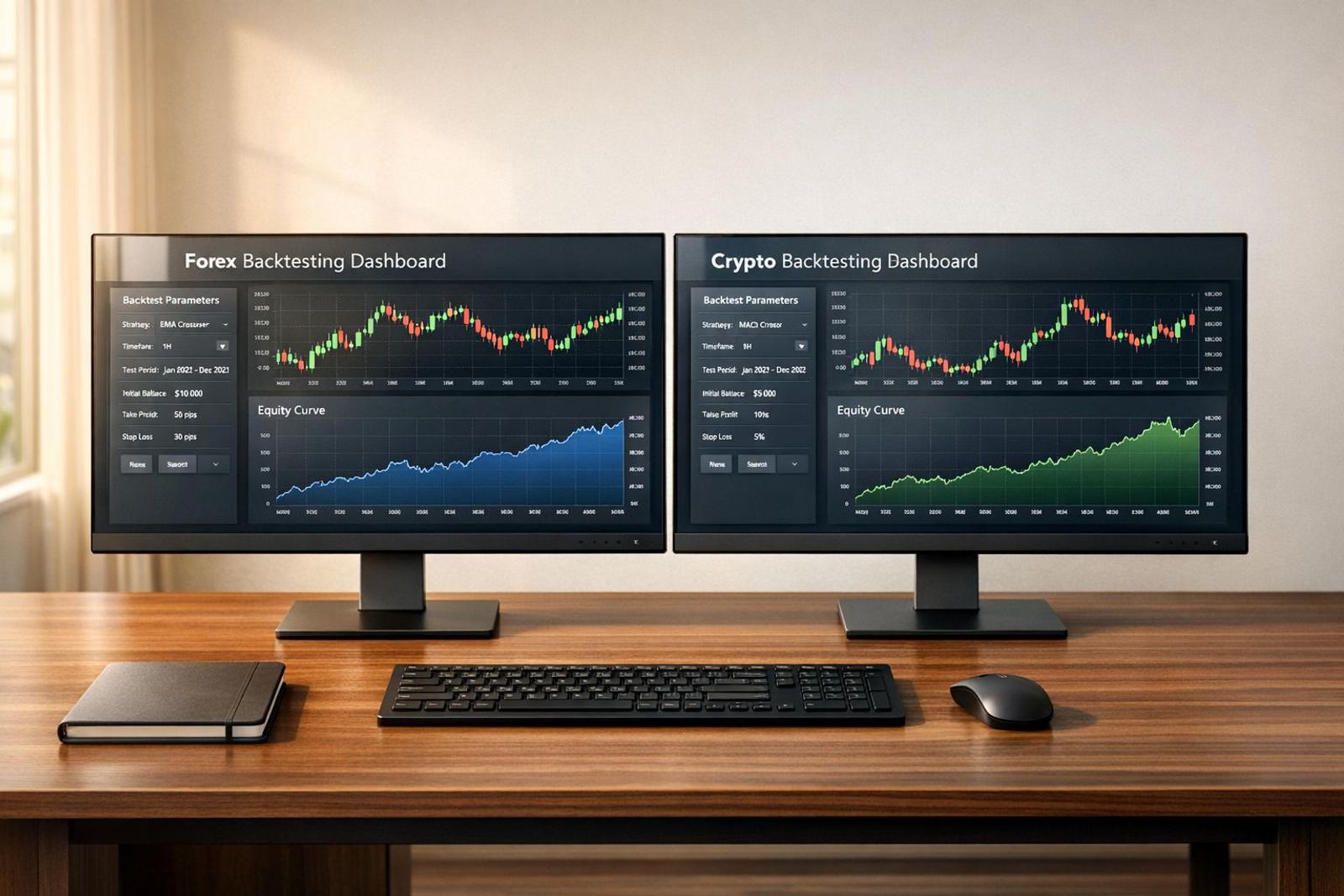
By Marcel Hambálek · Senior Trader, For Traders
The best backtesting tools for forex and crypto in 2026 are TradingView (no-code, multi-asset), MetaTrader 5 Strategy Tester (forex, free), and QuantConnect (algorithmic, multi-asset) — each chosen for a different trader profile, budget, and coding comfort.
Key takeaways
- TradingView, MT5 Strategy Tester, and Forex Tester 5 dominate no-code and semi-technical forex backtesting; QuantConnect and Backtrader lead the code-heavy multi-asset space.
- Crypto backtesting has a data-quality problem — exchange fragmentation and spot-versus-perp mismatch break naive backtests unless you source venue-specific tick data.
- Free tools (MT4/MT5, TradingView Basic, Backtrader) are genuinely usable, but paid tiers unlock tick data, walk-forward, and Monte Carlo — features that separate a real edge from curve-fit noise.
- A clean backtest means nothing without forward-testing; the honest path is backtest → demo/simulated capital → prop challenge.
- Slippage, commission modeling, and out-of-sample validation are non-negotiable — skip them and your backtest is fiction.
- For Traders offers the simulated-capital environment where a validated strategy graduates from spreadsheet to funded account.
Watch: related video
How We Ranked the Backtesting Tools
Every backtesting platform on this list earned its place against the same six criteria — no sponsored placements, no padding. If a tool fell short on data quality or couldn't handle multi-asset strategy backtesting across forex and crypto, it didn't make the cut regardless of how popular it is on trading forums.
Evaluation Criteria
Here's exactly what we measured, and why each criterion matters to a trader trying to validate a real edge:
- Asset coverage. Does the backtesting software handle forex pairs, crypto markets, or both? A tool that only runs EURUSD is useless the moment you want to test a BTC/USD breakout strategy or a gold mean-reversion setup. Multi-asset coverage wasn't a bonus — it was a baseline requirement for the top spots.
- Data quality. Tick data and OHLC are not interchangeable. Tick-level replay catches spread widening, slippage, and partial fills that OHLC bars completely mask. We noted which platforms offer genuine tick data versus bar-based simulation, because the difference shows up in your results — especially on strategies with tight stops or high trade frequency.
- Coding requirement. Some traders are fluent in Python; others want to drag-and-drop a moving average crossover and press run. We ranked each tool by how much programming knowledge it actually demands, not what the marketing page implies.
- Walk-forward and Monte Carlo support. In-sample curve-fitting is how traders fool themselves. Walk-forward testing and Monte Carlo simulation are the stress tests that separate a robust edge from an overfit backtest. Platforms that offer both scored higher — full stop.
- Price tier. Free, subscription, or one-time purchase — and what you actually get at each level. A free plan that throttles historical data to 1 year is not genuinely free for serious testing.
- Translation to live or simulated trading. Can you take the strategy directly into a live environment — or into a prop trading challenge on simulated capital — without rewriting it from scratch? The tighter that pipeline, the more the backtesting work actually counts.
Who This List Is For
This ranking is built for retail traders who are serious about proving their edge before they risk real money or challenge fees. Specifically: you've got a strategy idea, you've screen-time tested it manually, and now you want hard numbers before you commit to a funded account evaluation.
That means the tools here are judged partly on how well they prepare you for the discipline a prop challenge demands — consistent R:R, defined max drawdown, daily loss limits you don't breach. A backtest that doesn't model those constraints honestly is just an expensive way to feel confident before you blow a challenge on day three.
If you're a quant developer running institutional-grade research, some of these tools will feel lightweight. If you're a complete beginner who has never placed a live trade, some will feel advanced. The sweet spot this list targets is the trader in between: experienced enough to know what edge means, disciplined enough to test it properly before putting capital behind it.
Quick comparison: 12 backtesting tools at a glance
If you want the short answer before reading the full breakdowns: the table below covers every tool in this guide — asset class, cost, whether you need to write code, and the trader profile each one actually fits. Use it as your reference point when the details start to blur.
One thing to note before you scan: "free" in this context means the core backtesting functionality costs nothing. Several tools charge for data, add-ons, or live execution. The price tiers below reflect what you need to run a meaningful backtest, not the entry-level teaser plan.
| Tool | Asset Classes | Price Tier | Coding Required | Best For |
|---|---|---|---|---|
| TradingView | Forex, Crypto, Equities, Futures | Free – $59.95/mo | Optional (Pine Script) | No-code FX backtesting & visual strategy testing |
| MetaTrader 5 Strategy Tester | Forex, CFDs, Futures | Free | Yes (MQL5) | Best forex backtesting software for EA developers |
| QuantConnect | Forex, Crypto, Equities, Options, Futures | Free – $20/mo | Yes (Python / C#) | Algorithmic multi-asset research and live deployment |
| Forex Tester 5 | Forex | $97 one-time | No | Manual FX backtesting with tick-level replay |
| Backtrader | Forex, Equities, Crypto | Free (open source) | Yes (Python) | Quants who want full control without a subscription |
| NinjaTrader Strategy Analyzer | Futures, Forex | Free – $1,499 lifetime | Optional (NinjaScript) | Futures traders; tick-accurate order-flow backtests |
| Amibroker | Equities, Forex, Futures | $339 one-time | Yes (AFL) | High-speed portfolio-level systematic backtesting |
| Freqtrade | Crypto | Free (open source) | Yes (Python) | Crypto backtester for bot developers and DeFi traders |
| Tradestation EasyLanguage | Forex, Equities, Options, Futures | Free (with brokerage account) | Optional (EasyLanguage) | Semi-technical traders wanting institutional-grade data |
| Soft4FX Forex Simulator | Forex | $97 one-time | No | Manual discretionary FX backtesting inside MT4 |
| Cryptohopper | Crypto | Free – $107.50/mo | No | No-code crypto backtester with live bot execution |
| Vestinda | Forex, Crypto | Free – $79/mo | No | Visual strategy builder for multi-asset no-code testing |
A few patterns worth calling out. The free tier dominates crypto backtesting — Freqtrade, Backtrader, and QuantConnect all cost nothing to start, which reflects how open the crypto data ecosystem is compared to institutional forex feeds. On the FX side, the best forex backtesting software options split cleanly between manual replay tools (Forex Tester 5, Soft4FX) and automated strategy testers (MT5, QuantConnect). If you trade both asset classes, TradingView or QuantConnect are the only tools here that handle the full scope without forcing you to maintain two separate workflows. The sections below go deeper on each one — what the numbers don't show is how each tool handles slippage modelling, spread simulation, and the edge cases that separate a real backtest from a flattering one.
Best Forex Backtesting Tools
For pure forex backtesting, MT5 Strategy Tester is the strongest free option and Forex Tester 5 is the paid gold standard for manual, bar-by-bar replay. The right choice depends on whether you're testing an automated EA or drilling discretionary execution — those are fundamentally different workflows, and the tools reflect that.
MetaTrader 5 Strategy Tester
MT5's built-in Strategy Tester is the default starting point for most algorithmic forex traders, and the price is right: it's included with every MT5 terminal at no extra cost. You get tick-level data (when sourced properly), multi-currency testing, a forward-testing mode, and a genetic optimization engine that can run thousands of parameter combinations overnight. For an EA developer, that's a serious toolkit.
The honest limitation: MT5's fill modelling is optimistic by default. It assumes your order gets filled at the modelled price with no meaningful slippage, which flatters trend-following systems in particular. Spread simulation is configurable — you can switch between fixed, current, or five-digit spreads — but it still won't replicate the variable spread environment you'll actually trade during NFP or FOMC releases. Treat any MT5 backtest result as a ceiling, not a floor.
Coding requirement: MQL5 (C-like syntax). Not beginner-friendly, but well-documented with a large community. Data quality depends on your broker's historical feed — low-quality tick data is the fastest way to produce a backtest that means nothing.
MetaTrader 4 Strategy Tester
MT4's Strategy Tester is older, slower, and limited to single-currency pair testing per run. It still works for simple EAs and legacy systems, but the 90% modelling quality cap — even with the best available tick data — is a known ceiling. If you're starting fresh, go straight to MT5. If you're maintaining an existing MT4 EA and don't want to port it to MQL5 yet, Soft4FX (below) is a better companion than relying on MT4's native tester alone.
Pricing: Free with any MT4 terminal. Coding requirement: MQL4.
Forex Tester 5
Forex Tester 5 is purpose-built for manual backtesting — bar-by-bar replay where you're clicking entries, managing stops, and building screen time on historical data. No coding required. You load a currency pair, set your start date, and trade it as if it were live. The software tracks your P&L, R:R, win rate, and drawdown automatically.
This is genuinely the best environment for discretionary traders who want to compress months of chart time into days of focused practice. The data quality is good out of the box (1-minute historical data included, tick data available as an add-on). Pricing in 2026: Forex Tester 5 runs on a subscription model starting around $49/month or a one-time lifetime licence in the $299–$499 range depending on the data package. It's not cheap, but for a discretionary trader trying to validate a manual strategy, no free tool comes close to replicating this workflow.
Limitation: It's forex-only. No crypto, no futures. If your strategy runs across asset classes, you'll need a second tool.
Soft4FX
Soft4FX is a plugin that layers onto MT4 to dramatically improve its simulation quality. It replaces MT4's native tester with a manual replay environment similar to Forex Tester, adds proper spread simulation, and allows you to trade directly on the chart during replay — something MT4's built-in tester can't do cleanly. It's particularly useful if you're already deep in the MT4 ecosystem and don't want to migrate.
Pricing: Around $97 one-time as of 2026. Works only with MT4, not MT5.
TradingView (Pine Script Replay)
TradingView's bar replay mode lets you scroll back to any point in history and step forward candle by candle — manually placing trades and tracking results. For discretionary traders who already live on TradingView charts, this is the lowest-friction entry point to forex backtesting. No additional software, no data import, no setup.
The limitation is depth. Pine Script strategy backtests use bar-close fills by default, which introduces lookahead bias on anything shorter than the daily timeframe. Intrabar fill logic is configurable but adds complexity, and the spread/slippage modelling is basic compared to Forex Tester 5. Pricing: Bar replay is available on the Essential plan ($12.95/month in 2026) and above; Pine Script strategy testing is available across paid tiers. Free plan users get limited replay access.
For a no-code discretionary trader testing simple setups on the daily or 4H, TradingView replay is genuinely useful. For anything that depends on precise intraday fill quality, you'll feel the limitations quickly.
Best Crypto Backtesting Tools
Crypto backtesting is fragmented because crypto itself is fragmented — dozens of exchanges, inconsistent historical data, and a split between spot, perpetual futures, and options that most tools handle differently. The platforms below are the ones actually worth your time in 2026, but be honest with yourself about which ones offer real backtesting versus a glorified forward-test with a backtest label slapped on it.
3Commas
3Commas is a bot-first platform that connects to major exchanges via API and lets you run strategy simulations against historical OHLCV data. Its backtester covers DCA bots and grid bots — the two most popular crypto automation strategies — and it pulls historical crypto market data for backtesting from the connected exchange directly. The catch: data quality depends entirely on the exchange you're pulling from, and the backtesting engine doesn't account for slippage or order book depth realistically. What you're getting is closer to a signal simulation than a true execution test. Useful for directional logic validation; not useful for anything where fill quality matters.
Walk-forward testing is not natively supported. If that's a requirement for your process, 3Commas isn't the right tool.
TradeSanta
TradeSanta targets traders who want bot automation without heavy configuration. Its backtesting module is basic — you can test long and short grid and DCA strategies against historical data, but the environment is simplified. There's no tick-level resolution, and the historical windows available vary by exchange pair. Think of it as a sanity check for parameter ranges, not a rigorous algorithmic backtesting crypto environment. It earns its place for newer automated traders who want to stress-test bot settings before going live, but experienced quants will outgrow it fast.
Coinrule
Coinrule is the clearest no-code option in the crypto space. You build rules visually — "if RSI crosses below 30 and BTC dominance drops, buy X% of portfolio" — and the backtester runs those rules against historical data on supported exchanges. The interface is genuinely accessible, and for traders who want to test systematic rule-based logic without writing a line of Python, it's one of the better options available. Historical data coverage goes back several years on major pairs. The limitation is the same as most visual builders: complex multi-leg strategies hit the ceiling of what the rule engine can express.
CryptoHopper
CryptoHopper sits between 3Commas and a proper quant platform. It supports strategy backtesting with configurable indicators, multiple exchange connections, and a marketplace where you can buy and test third-party strategies. The backtesting engine handles spot and perpetual futures differently — worth checking which mode you're actually running before reading results. Like 3Commas, it doesn't model slippage or partial fills with any real precision. Where CryptoHopper edges ahead is in strategy combination testing and the ability to run paper trading immediately after backtesting, which at least bridges the gap toward forward validation.
CryptoQuant
CryptoQuant is a different category entirely. It's not a bot platform — it's an on-chain and derivatives data analytics tool, and it's the most serious data source in this list. If your crypto backtester strategy depends on signals like exchange net flows, miner outflows, funding rates, open interest, or long/short ratios, CryptoQuant is where institutional-grade historical crypto market data for backtesting actually lives. You won't run automated strategies through it directly, but you can export data and build backtests in Python or QuantConnect using clean, sourced on-chain inputs. For algorithmic backtesting crypto strategies that incorporate macro on-chain context, this is the data layer serious traders use — not a bolt-on afterthought.
The honest summary: if you need a complete crypto backtesting environment with genuine walk-forward capability and realistic execution modeling, none of these platforms fully deliver on their own. The strongest workflow pairs CryptoQuant's data with a code-based engine like QuantConnect, using the bot platforms only for parameter validation once core logic is already proven.
Best Multi-Asset Backtesting Tools (Forex + Crypto in One Place)
If your strategy trades both forex and crypto — or you want the flexibility to pivot between them — you need a backtesting platform that handles both asset classes without forcing you to rebuild your logic from scratch each time. These four tools cover that brief better than anything else available in 2026.
TradingView
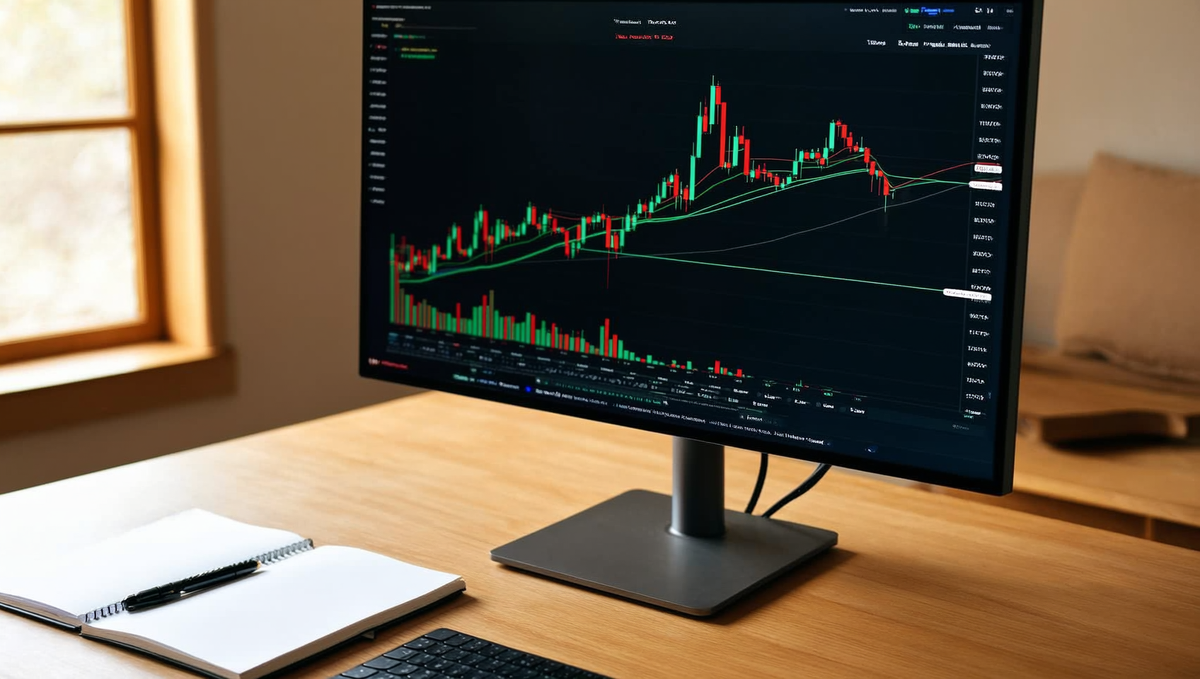
TradingView backtesting remains the most accessible entry point for multi-asset strategy backtesting. Write your logic once in Pine Script, then point it at XAUUSD, BTCUSDT, EURUSD, or any index — the same code runs across all of them. The built-in Strategy Tester gives you net profit, max drawdown, Sharpe ratio, and trade-by-trade breakdowns without touching a terminal.
For manual traders, the bar replay feature is genuinely useful: scrub back to any date and replay price action tick by tick, which is the closest most retail traders get to walk-forward practice without writing a line of code.
2026 pricing: Free (limited indicators, one strategy), Essential at $14.95/month, Plus at $29.95/month, Premium at $59.95/month. Multi-timeframe Pine Script functions require Plus or above. If you're testing strategies across several pairs simultaneously, Premium is the practical tier.
TrendSpider
TrendSpider's edge is automated technical analysis layered on top of its backtesting engine. It detects trendlines, Fibonacci levels, and dynamic price zones algorithmically, then lets you incorporate those detections directly into backtest conditions — something no other no-code tool does cleanly. Multi-timeframe condition stacking (trigger on the 4H, confirm on the daily) is built into the UI rather than hacked together with workarounds.
It covers forex pairs, major crypto, and US equities. Bar replay is included across all plans. The backtesting depth is solid for discretionary traders converting rules to testable logic.
2026 pricing: Basic at $39/month, Elite at $79/month, Elite Plus at $129/month. Crypto data and multi-timeframe backtesting unlock at Elite. Not cheap, but the automated TA layer justifies it if chart pattern rules are central to your edge.
cTrader Automate
cTrader Automate is the C# alternative to MT5's MQL5 environment, and it's meaningfully cleaner to work in. You build cBots in C#, run them through the built-in backtester against forex and crypto CFD data, and get visual equity curve output with detailed execution logs. Tick data quality is generally better than MT5's free historical data, and the IDE is modern enough that you're not fighting the tooling.
There's no bar replay in the traditional sense, but the visual backtesting mode lets you step through trades manually after the run. Brokers offering cTrader typically provide it free — the platform cost is zero; you pay through the broker's spread.
Best for: Traders who can write C# and want a professional-grade environment without paying a platform fee.
NinjaTrader
NinjaTrader covers futures (CME-connected), forex, and crypto CFDs in one environment. Its Strategy Analyzer runs multi-asset backtests with realistic commission and slippage modeling, and the Market Replay feature — one of the best bar-replay implementations in any desktop platform — lets you practice manual execution on historical data with simulated order fills.
NinjaScript (C#-based) gives you the same coding flexibility as cTrader Automate, with stronger futures data integration. If your multi-asset strategy backtesting needs to span ES futures and BTC in the same session, NinjaTrader is the only desktop platform that handles that combination without painful data workarounds.
2026 pricing: Free (brokerage-connected, limited live trading), Lease at $99/month, or Lifetime License at $1,499 one-time. The Lifetime License pays back quickly if you're a serious systematic trader.
Best Algorithmic and Code-Based Backtesting Tools
If you write your own execution logic and care about methodology — walk-forward validation, Monte Carlo stress-testing, event-driven fill simulation — these three environments are where serious systematic traders live. No drag-and-drop, no compromises on data fidelity.
QuantConnect
QuantConnect is the closest thing retail traders have to an institutional-grade backtesting infrastructure. The platform runs on the open-source LEAN engine and gives you cloud access to tick-resolution data across equities, forex, futures, options, and crypto — all in a unified API. That matters because most algorithmic backtesting crypto setups force you to stitch data sources together manually; QuantConnect handles the plumbing so you focus on the logic.
The methodology tools are what set it apart. You can run walk-forward optimization natively — splitting your in-sample and out-of-sample periods without writing custom splitting code. Monte Carlo simulation is available through the Research Environment (a Jupyter-style notebook), letting you stress-test equity curves across thousands of randomized trade sequences before you ever risk a dollar. The backtesting engine is event-driven, meaning each bar is processed sequentially with realistic order queuing, partial fills, and slippage models — not the vectorized shortcut that flatters your Sharpe ratio.
The free tier covers cloud backtesting with a one-month data delay on some asset classes. Live trading and premium data feeds run from roughly $8–$20/month depending on the tier. For multi-asset algorithmic work, nothing at this price point comes close.
Backtrader (Python)
Backtrader is the Python workhorse for local backtesting software development — free, offline, and battle-tested across thousands of open-source strategies. You define a Strategy class, feed it a DataFeed, and the event-driven engine handles bar sequencing, position tracking, and commission models without any cloud dependency.
Where Backtrader earns its reputation is flexibility. You can plug in custom slippage functions, chain multiple data feeds (EURUSD + XAUUSD + BTC in the same strategy), and run parameter optimization with the built-in optstrategy method. It is not vectorized — every bar fires an event — so backtests on tick data run slower than pandas-based approaches, but the fill simulation is far more honest. For walk-forward testing, you will need to write the fold logic yourself or use community libraries like bt alongside it; that is the trade-off for running entirely local.
The learning curve is real. Expect a few hours of documentation before your first clean run. Once it clicks, the control you have over execution assumptions is worth every minute.
Custom Python with CCXT for Crypto
For pure algorithmic backtesting crypto work — especially on altcoins or DEX-adjacent markets where no platform carries the data — building your own pipeline with CCXT and pandas is the only route with genuine tick-level fidelity.
CCXT connects to over 100 exchanges through a unified interface. You pull OHLCV or trade-level data, store it locally, and run your backtest logic in pure Python. Vectorized backtests (calculating signals across the full DataFrame at once) are fast and useful for initial hypothesis filtering, but they mask realistic issues: you cannot fill at the open of the same bar that triggered your signal in live trading. The disciplined approach is to prototype vectorized, then port the final strategy to an event-driven loop before drawing any conclusions.
Monte Carlo analysis sits naturally in this stack — shuffle your trade returns, resample with replacement, and plot the distribution of outcomes across 10,000 simulated equity curves in a few lines of NumPy. No platform locks you into their Monte Carlo implementation; you control every assumption. The cost is time: data cleaning, exchange-specific quirks, and funding-rate adjustments for perpetual futures all land on you.
If you are comfortable in Python and trading crypto markets with any systematic edge, this DIY stack gives you transparency that no off-the-shelf backtesting software can match.
Ready to trade funded capital?
Choose your path — Instant Accounts, One-Step or Two-Step Challenges — from just $23, with up to $300,000 in funded capital.
Choose your challengeFree backtesting tools that are actually usable
MT4/MT5 Strategy Tester, TradingView Basic, and Backtrader are the three free options worth your time — everything else in the "free" category is either a demo trap or a data desert. That said, free means accepting real constraints: OHLC bars instead of tick data, capped history, and no walk-forward or Monte Carlo built in.
What you get for zero dollars
MetaTrader 5 Strategy Tester is the default starting point for forex backtesting free. It runs directly inside MT5, supports multi-currency tests across dozens of instruments, and lets you backtest EAs (Expert Advisors) against broker-supplied history going back years. The visual mode — where you watch every bar print against your strategy logic — is genuinely useful for spotting entry timing issues that raw stats hide. For non-technical traders, the drag-and-drop EA builder lowers the barrier further. MT4's version still works but the optimiser is single-threaded; MT5's parallel optimiser runs meaningfully faster.
TradingView Basic gives you Pine Script backtesting inside the chart. You write a strategy, hit "Add to chart," and the Strategy Tester panel shows net profit, max drawdown, win rate, and trade-by-trade breakdown. The free tier limits you to roughly 10,000 bars of history on most timeframes — enough for a 15-minute forex backtest across a few months, not enough for a multi-year sample on higher timeframes. For backtesting tools for non-technical traders, TradingView's community library of pre-built strategies means you can backtest ideas without writing a single line of code, which is a genuine advantage over every other option at this price point.
Backtrader (Python, open-source) sits at the other end of the technical spectrum. You write your strategy in Python, feed it any CSV you can source, and get full control over position sizing, commission models, and multi-asset portfolios. There is no subscription, no data cap imposed by the software itself — your limits are whatever data you can find and clean. It handles forex, equities, and crypto with equal indifference, which is rare in free backtesting software for forex.
Where free tools fall short
The honest answer is: everywhere that matters for production-grade strategy validation.
- Tick data gaps. MT4/MT5 Strategy Tester on OHLC mode can produce fill prices that never existed in the real market. Strategies with tight stops or scalping logic look far better on OHLC than they perform live. Tick-level testing requires a paid data feed or a broker that exports genuine tick history.
- Limited history. TradingView Basic's 10,000-bar ceiling cuts your sample size to the point where statistical significance is questionable. You need at least 200–300 trades across multiple market regimes to trust a backtest result; free tiers often can't deliver that on anything below the daily timeframe.
- No walk-forward testing. None of the three free options include native walk-forward optimisation. You can simulate it manually — optimise on one date range, test on the next — but it's manual, slow, and easy to botch. Paid platforms like StrategyQuant or Forex Tester automate this entirely.
- No Monte Carlo. Randomising trade order to stress-test your equity curve is not built into any free tool. Backtrader users can code it themselves; everyone else is guessing at how bad a drawdown could realistically get.
- Crypto-specific gaps. Funding rates, liquidation cascades, and exchange-specific fee tiers are invisible in all three free tools unless you build the logic yourself. For crypto strategies, the DIY Python stack covered in the previous section is often the better free choice, despite the setup cost.
Free tools are a legitimate starting point — most serious traders built their first backtests in MT5 or TradingView. The moment your strategy requires realistic fill modelling, multi-year tick history, or automated robustness testing, you are paying for a data subscription or a better platform whether you plan to or not.
Backtesting for non-technical traders (no code required)
You don't need Python, R, or a single line of code to run a rigorous backtest. Several platforms let you build, test, and refine trading rules entirely through visual interfaces — point-and-click rule builders or bar-by-bar chart replay that mirrors how discretionary traders actually think.
This matters because most traders who read price action and structure aren't optimising an algorithm — they're asking a simpler question: does my edge actually exist across a meaningful sample of trades, or have I been telling myself a story? The tools below answer that question without requiring a development environment.
Point-and-click platforms
TradingView's Strategy Tester is the obvious starting point. You can write basic rules in Pine Script, but you don't have to write them from scratch — the platform's built-in strategy library covers dozens of common setups (moving average crossovers, RSI reversals, breakout entries) that you can configure through parameter fields rather than code. For forex pairs, crypto, and indices, the visual equity curve and trade-by-trade breakdown give you an immediate read on whether a rule-based version of your discretionary system holds up. Coverage spans spot crypto, major and minor forex pairs, and US indices — the multi-asset breadth is hard to beat at the free tier.
TrendSpider goes further for chart-pattern traders. Its automated trendline detection and multi-timeframe condition builder let you define entries and exits in plain logic — "price closes above the 20-period EMA on the 4H chart AND RSI is below 60 on the daily" — without touching code. The Strategy Tester then runs that condition set against historical bars and reports win rate, average R, and drawdown. For traders whose edge lives in confluence conditions across timeframes, TrendSpider's visual rule-builder is genuinely powerful.
Coinrule serves a similar function specifically for crypto. Its template library and IF-THEN rule engine are built for traders who want to validate systematic crypto strategies — particularly on BTC, ETH, and altcoin pairs — without writing a bot from scratch.
Bar-replay for manual strategies
Rule-builders test explicit conditions. But many profitable traders operate on discretionary reads — order flow, candlestick context, structure — that can't be reduced to a clean IF-THEN statement. For those traders, bar-replay is the correct testing method.
Forex Tester 5 is the benchmark here. You load multi-year tick or minute data, set a start date, and step through bars one at a time — placing trades, moving stops, and managing positions exactly as you would live. The platform records every decision and produces a full performance report at the end. The data import process takes an afternoon to set up, but once it's running, a year of price history can be replayed in a few hours. If your strategy is discretionary and forex-focused, Forex Tester 5 is the most honest simulation available without writing code.
Soft4FX integrates directly into MetaTrader 4 and 5, adding a bar-replay simulator to a platform you likely already use. For traders who want to stay inside the MT environment while testing manual entries on forex pairs, it removes the friction of learning a new interface entirely.
The honest caveat with all replay-based testing: your results are only as unbiased as your discipline. It is easy to "remember" how a candle resolved and trade accordingly. Run replay sessions on data outside your usual chart window — different years, different pairs — to stress-test whether the edge is real or hindsight.
Historical Data: Where to Source It and What It Costs
For forex, Dukascopy, Tickstory, and HistData cover 15+ years of tick data — most of it free. For crypto, Binance, Kraken, and Coinbase APIs give free OHLC going back to each exchange's launch, while Kaiko and CryptoDataDownload sell tick-level venue data if you need the granularity. The data source you choose matters almost as much as the backtesting tool itself — garbage in, garbage out is not a cliché, it is the most common reason a "profitable" backtest falls apart in live conditions.
Forex M1 and Tick Data Sources
The three names every forex backtester should bookmark are Dukascopy, Tickstory, and HistData. Dukascopy's JForex platform lets you export free tick data for major and minor pairs going back to 2003 — EUR/USD, GBP/USD, USD/JPY, the full roster. Tickstory is a desktop app that pulls from that same Dukascopy feed and reformats it for MetaTrader 4/5 import, handling the fiddly .hst conversion so you do not have to. HistData.com offers M1 OHLC CSVs for dozens of pairs, also free, which is more than enough resolution for most swing and intraday systems.
One practical note: broker-specific spread data matters. Dukascopy's tick feed reflects Dukascopy's own spreads and liquidity. If you trade with a different broker during live conditions, your execution costs will differ. For strategies where the spread is a small fraction of your target move — anything above 15–20 pips — this discrepancy is noise. For tight scalps targeting 3–5 pips, it can flip a system from profitable to losing. Pull data from a source that approximates your actual broker's conditions, or at least stress-test your results with a spread multiplier.
Crypto Tick Data and Exchange APIs
For historical crypto market data for backtesting, the starting point is the exchange APIs directly. Binance's REST API provides free OHLC (candlestick) data at intervals from 1-second up to monthly, going back to 2017 for most major pairs. Kraken and Coinbase Advanced Trade offer similar coverage. For most strategy types, this is sufficient and costs nothing beyond the time to write a simple fetch script — or use a library like ccxt that handles the pagination for you.
When you need actual tick data — every trade, every timestamp, bid and ask — free options thin out quickly. Kaiko is the institutional-grade provider, aggregating tick data across 100+ exchanges with clean timestamps and venue labelling; pricing starts in the hundreds of dollars per month. CryptoDataDownload offers historical OHLC and some trade-level data as flat CSV files, free for standard timeframes, which covers most retail backtesting needs without a subscription. For on-chain strategies or DeFi backtesting, The Graph and Dune Analytics give access to block-level event data, though querying it requires SQL or GraphQL familiarity.
Tick Data vs OHLC — When It Matters
The tick data vs OHLC debate has a cleaner answer than most traders expect: OHLC is fine until your strategy's logic operates inside the candle.
Swing systems holding positions for hours or days, trend-following strategies with wide stops, and any approach where entry precision is measured in 10s of pips — OHLC at M5 or M15 resolution is entirely adequate. The four price points per candle capture everything that is decision-relevant, and the data is free, clean, and universally supported.
Tick data becomes mandatory the moment your strategy depends on intrabar sequence. Scalping systems, arbitrage, strategies that trail stops on every tick, or any execution-sensitive approach where the order of high and low within a candle changes your P&L — these require tick-level resolution. The classic OHLC trap: a backtesting engine does not know whether the high or the low printed first inside a given candle. If your stop and your target both sit inside the same candle's range, the engine makes an assumption. That assumption can overstate your win rate by 20–30% on tight-target systems, producing a backtest that simply does not exist in real trading. Tick data eliminates that ambiguity entirely.
The practical rule: start with OHLC to validate your logic quickly, then re-run on tick data before you commit real evaluation capital to any strategy where fills, spread, or intrabar sequence are part of the edge.
Backtesting methodology that separates edge from illusion
A backtest is only as honest as the methodology behind it. You can run the same strategy through two different workflows and get one result that looks like a funded account waiting to happen — and another that exposes it as a curve-fitted fantasy. The tools matter, but the methodology matters more.
The rough minimum for a forex system to mean anything statistically: at least 100 completed trades across 3–5 years of data. Fewer trades and you're reading noise. Less history and you're probably fitting to a single market regime — a trending 2020 or a choppy 2023 — not an edge that survives across conditions.
Walk-forward analysis
Walk-forward analysis splits your historical data into rolling in-sample windows (where you optimise) and out-of-sample windows (where you test blind). You optimise on the first 18 months, test on the next 6, roll forward, repeat. If your parameters keep shifting dramatically between windows, you don't have an edge — you have a parameter that fits each period in hindsight.
Skipping this step is how traders end up with a backtest equity curve that looks like a ski slope going up-right, then watch the live account flatline immediately. The out-of-sample segment is the only portion of a backtest that approximates forward performance. Everything else is archaeology.
Monte Carlo simulation
Monte Carlo simulation takes your trade log and randomly shuffles the sequence of wins and losses — typically 1,000 to 10,000 iterations — to stress-test what your drawdown distribution actually looks like across different orderings. Your backtest might show a 12% max drawdown. Monte Carlo might reveal that 5% of sequences produce a 28% drawdown with the exact same trades in a different order.
That matters acutely in prop evaluation, where hitting a max drawdown limit ends your challenge regardless of your overall expectancy. Knowing your worst-case drawdown percentile before you fund a challenge is not optional — it's the difference between sizing correctly and blowing a phase on bad luck you could have anticipated.
Slippage and commission modeling
Slippage and commission modeling means building realistic friction costs into every simulated trade — and those costs are not uniform. XAUUSD during the London open fills differently than XAUUSD at 3 a.m. EST. A crypto perpetual on a thin altcoin has a different spread profile than BTC/USDT. A system that looks profitable at 0.1 pip commission per side can turn negative at 0.5 pips — which is what you'll actually pay on many instruments outside peak hours.
Model per instrument, per session. If your backtesting tool doesn't let you set variable spread and slippage, your results are optimistic by definition.
Avoiding overfitting and curve-fitting
Overfitting shows up when your equity curve looks too clean. A real edge has rough patches — losing streaks, flat periods, regime shifts where it underperforms. If your backtest shows a near-straight line upward with a Sharpe ratio above 3 and a max drawdown under 5%, be suspicious before you're impressed.
The practical test: count your free parameters. Every indicator setting, every filter, every time-of-day rule is a degree of freedom you've used to fit past data. More parameters on fewer trades means less signal and more noise dressed up as strategy. Reduce rules until the edge survives simplification — what remains is closer to real.
From backtest to forward-test to funded: the bridge most traders skip
A backtest proves your strategy could have worked. A forward-test proves it can work. A funded challenge proves you will work — under pressure, with consequences, when the streak breaks. Most traders stop at step one and wonder why live results look nothing like the equity curve.
Why backtest results rarely survive live conditions
Backtesting software operates in a frictionless world that doesn't exist. Your fills are assumed perfect, spreads are static, and — most importantly — you feel nothing when a trade moves against you. Strip those assumptions out and the gap between backtest and live becomes obvious fast.
The three biggest culprits:
- Slippage and variable spreads. During NFP or FOMC, XAUUSD spreads can widen 10x in seconds. A strategy that depends on tight execution can turn a positive expectancy negative in one session.
- Look-ahead bias. Many platforms calculate indicators on the close of the current bar by default. In live trading, that bar hasn't closed yet. One setting misconfigured and your entire backtest is built on future data.
- Emotional execution drift. You know intellectually that a 6-trade losing streak is within your strategy's historical distribution. You don't feel that at 11 PM when the seventh setup triggers. Backtests never simulate the moment you move a stop.
None of this means backtesting is useless — it's essential for isolating edge. It means the backtest is the beginning of validation, not the end of it.
Forward-testing on demo and simulated capital
Forward-testing is where execution reality hits. You run your strategy in real market time — live spreads, live order flow, live news events — but on a demo trading platform where the risk is zero and the data is real. This is the phase that separates strategies with genuine edge from strategies that were fitted to a specific historical window.
A credible forward-test needs enough trades to be statistically meaningful. For most discretionary strategies, that's a minimum of 50-100 executions across varied market conditions: trending, ranging, high-volatility, low-volatility. Anything less and you're reading noise. Track every entry, every exit, every deviation from your rules — because the deviations tell you more than the wins do.
What forward-testing still can't replicate: consequences. On a standard demo account, nothing is at stake. You'll take trades you'd never take with real capital, and you'll skip exits you'd absolutely take if your performance depended on it. That gap matters.
Using a prop challenge as the final validation layer
This is the bridge most traders skip entirely, and it's the most important one. A For Traders Trading Challenge runs on simulated capital, but it introduces the one ingredient demo trading can't: real consequences for discipline failures. Breach the daily loss limit, and the challenge ends. Deviate from your risk rules under pressure, and the drawdown shows up immediately. The structure forces you to trade your plan, not your emotions.
That's why traders who backtest and forward-test properly are disproportionately in the minority who pass. High challenge failure rates are industry-standard — the evaluation isn't designed to be easy, it's designed to filter for the execution discipline that backtesting can never measure. A strategy that survived simplification (as discussed in the previous section), survived 60+ forward-tested trades, and then navigated a full challenge evaluation without a rules breach — that's a validated edge, not a curve-fit equity curve.
The path is linear: backtest for edge, forward-test on a demo trading platform for execution reality, then use a For Traders simulated funded account as the final filter for discipline under pressure. Skip any step, and you're guessing which one broke you when the live account goes red.
Ready to trade funded capital?
Choose your path — Instant Accounts, One-Step or Two-Step Challenges — from just $23, with up to $300,000 in funded capital.
Choose your challengeBest backtesting tool for your use case — the verdict
The best backtesting tool is the one that matches your skill level, asset class, and end goal — not the one with the longest feature list. Here's a direct mapping so you can stop comparing and start testing.
Best for forex beginners
MetaTrader 5 Strategy Tester. It's free, it connects directly to the asset class you're trading, and the visual bar-by-bar replay mode forces you to make decisions in real time rather than pattern-match in hindsight. If you're new to best forex backtesting software and don't want to touch code, MT5 is where you start. The learning curve is shallow enough that most traders have their first backtest running within a day.
Best for crypto algo traders
QuantConnect. Tick-level crypto data, Python and C# support, and a live deployment pipeline that takes you from backtest to execution without switching platforms. If you're building systematic strategies across BTC, ETH, or altcoin pairs and you need institutional-grade data integrity, this is the best crypto backtester available at any price point — and the community layer adds genuine peer review to your logic.
Best free option
TradingView's Strategy Tester. Pine Script has a real learning curve, but the free tier covers multi-asset backtesting across forex, crypto, indices, and commodities with clean charting built in. For traders who want to test ideas visually before committing to a more complex platform, TradingView's free tier punches well above its price tag. The data quality on major pairs and top crypto assets is solid enough for directional edge validation.
Best for non-coders
TradingView (paid tier) or Forex Tester 5. TradingView's point-and-click strategy builder handles most rule-based systems without writing a line of Pine Script. Forex Tester 5 goes further — its visual drag-and-drop environment lets you define entry rules, stop placement, and position sizing through a UI rather than a terminal. If the words "for loop" make you close the tab, either of these will get you a statistically meaningful sample without touching code.
Best for prop-challenge preparation
MetaTrader 5 Strategy Tester or TradingView, layered with manual forward-testing. Backtesting for prop trading isn't just about proving edge — it's about proving you can follow rules under pressure. The tools themselves matter less than how you use them: run your backtest with the exact drawdown limits and daily loss thresholds your challenge specifies, then forward-test on a demo account before touching a funded evaluation. A For Traders Two-Step Challenge has defined max drawdown and daily loss rules; your backtest should simulate those constraints from session one, not as an afterthought. Any strategy that only survives in an unconstrained backtest isn't a strategy — it's a liability.
Map your profile to the right tool, build the habit of testing before trading, and treat the prop challenge as the final exam rather than the first one.
Free vs paid backtesting software: pros and cons
Pros
- Free tools (MT4/MT5, TradingView Basic, Backtrader) cover 80% of what beginners need
- Zero cost means zero pressure to use it — perfect for learning the workflow
- Free platforms have the largest communities, so troubleshooting is easier
- Backtrader and QuantConnect's free tier deliver code-grade rigor without a subscription
Cons / risks
- Free tools use OHLC data — tick-level accuracy usually costs money
- Walk-forward and Monte Carlo are almost always paid features
- Crypto data on free tiers is often exchange-limited or delayed
- Free MT4/MT5 Strategy Tester models spreads and slippage optimistically, inflating results
Frequently Asked Questions
What is the best backtesting software for forex in 2026?+
The best forex backtesting software in 2026 depends on your technical level. TradingView's Strategy Tester suits most traders with its clean interface and broad data access. MT5's Strategy Tester remains the gold standard for EA-based backtesting with tick-level data. Forex Tester 5 is the top pick for manual strategy testing without coding. Each platform has trade-offs between data quality, cost, and scripting requirements — match the tool to how you actually trade, not to what the forums recommend.
Which free forex backtesting tools are actually usable?+
TradingView's free tier, MT4/MT5 Strategy Tester, and QuantConnect's community plan are genuinely usable at no cost. TradingView gives you Pine Script backtesting with solid historical data across forex pairs. MT4/MT5 is free through any broker demo account and handles automated strategy testing well. The honest caveat: free tiers often limit data depth, concurrent backtests, or tick-data quality — gaps that matter when you're stress-testing a strategy before a funded challenge.
What is the best crypto backtester for algorithmic strategies?+
Freqtrade and QuantConnect lead for algorithmic crypto backtesting in 2026. Freqtrade is open-source, Python-based, and integrates directly with exchange APIs for realistic historical fills. QuantConnect covers both crypto and traditional assets with institutional-grade data. For traders who want algo capability without deep coding, Kryll and Bitsgap offer visual strategy builders with backtesting modules. The key differentiator is data granularity — tick or order-book data separates serious backtests from rough approximations.
Can I backtest forex and crypto strategies on the same platform?+
Several platforms support multi-asset backtesting across forex and crypto simultaneously. TradingView covers both asset classes with consistent charting and Pine Script logic. QuantConnect is the strongest option for cross-asset algorithmic testing, offering unified historical data for FX pairs, crypto, futures, and equities. Capitalise.ai handles both without coding. Running the same strategy logic across correlated assets — say, XAUUSD and BTC — on one platform reveals whether your edge is asset-specific or genuinely systematic.
What is the easiest backtesting tool for non-technical traders?+
TradingView's built-in Strategy Tester is the most accessible entry point for non-technical traders — apply a community-published Pine Script strategy to any chart and see results in seconds. Forex Tester 5 is the best option for manual backtesting, letting you replay historical price action bar-by-bar and execute trades as if live. Neither requires programming knowledge to get started. Both produce enough data — win rate, max drawdown, profit factor — to evaluate whether a setup has genuine edge before you risk evaluation capital.
How do I backtest a strategy without coding?+
Manual backtesting on a platform like Forex Tester 5 or TradingView's replay mode requires zero coding. You scroll back through historical charts, mark your entry and exit rules, and log results in a spreadsheet. It's slower than automated backtesting but forces you to see every trade setup individually — which actually reduces curve-fitting. For rule-based strategies, TradingView's community library has thousands of pre-built scripts you can apply without writing a single line. Discipline in logging every trade, including the losers, is what makes the data valid.
How do slippage and commissions affect backtest results?+
Ignoring slippage and commissions is the fastest way to produce a backtest that looks great on paper and bleeds in live conditions. A strategy with a 1.2 profit factor before costs can drop below breakeven once realistic spreads, commissions, and slippage are applied — especially on high-frequency or news-driven setups. Most platforms let you input fixed or variable commission models; always use the actual spread and commission structure of your trading environment. For prop trading challenges specifically, model the exact fee structure of the account you're targeting.
How much historical data do I need for a valid backtest?+
A minimum of three to five years of historical data is the baseline for forex strategies, covering at least one full market cycle including trending and ranging conditions. Crypto strategies need at least two to three years given the asset class's shorter history, but should include the 2022 bear market and 2024–2025 bull run for realistic stress-testing. Fewer than 200 trade samples in your backtest results is statistically weak regardless of the time period — sample size matters as much as data length.
What is the difference between backtesting and forward-testing on a demo?+
Backtesting runs your strategy against historical data to measure past performance. Forward-testing — also called paper trading or demo trading — applies the same rules to live or near-live market conditions in real time, without risking capital. Backtesting is faster and covers more market scenarios, but it's always fitted to data you've already seen. Forward-testing on a demo account reveals how your strategy handles real spreads, news events, and your own execution psychology. Both phases together give a far more honest picture than either alone.
How do I avoid curve-fitting when backtesting a strategy?+
Curve-fitting happens when you optimise so many parameters that your strategy fits historical noise rather than genuine market structure. The main defence is out-of-sample testing: develop your rules on one data segment, then validate on a separate period you haven't touched. Keep your rule set simple — strategies with fewer parameters generalise better. Walk-forward analysis, where you roll the optimisation window forward in time, is the most rigorous method. If your strategy only works on the exact settings you optimised, it's not an edge — it's a memory.
Written by
Marcel Hambálek
Senior Trader, For Traders
Marcel trades Futures and Forex day-trading setups on funded accounts and writes about the executional details most traders skip — order types, slippage, session timing, platform quirks on MT5 and NinjaTrader. Pragmatic, mechanics-first, no fluff.
Follow on LinkedInReady to trade funded capital?
Choose your path — Instant Accounts, One-Step or Two-Step Challenges — from just $49, with up to $300,000 in funded capital.
Choose your challengeTrade up to $300,000
Choose challenge