

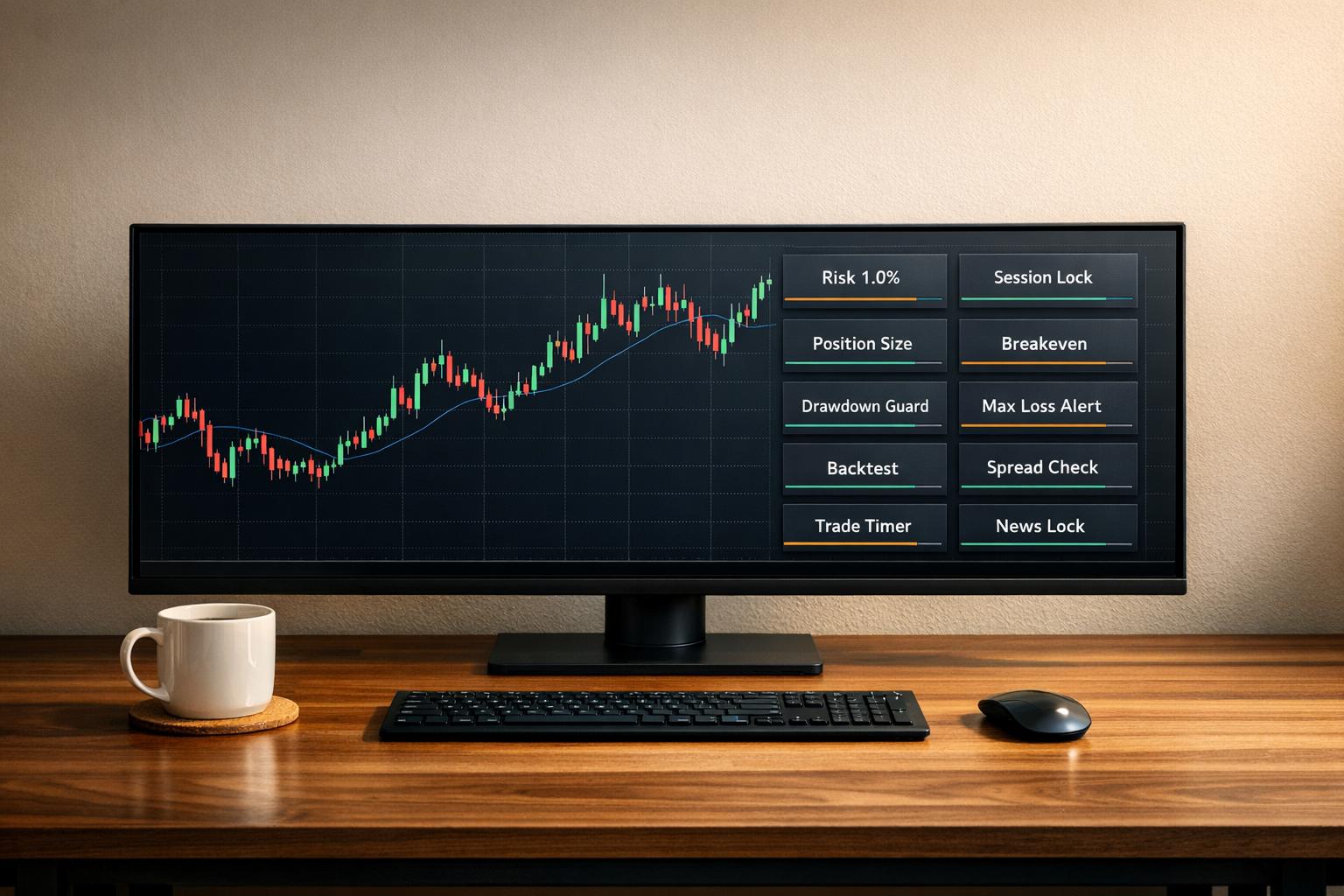
Passing a prop firm challenge requires strict adherence to rules like drawdown limits, profit targets, and risk management. Many traders fail due to overtrading or poor discipline. TradingView Pine Scripts can help solve this by automating risk management, monitoring compliance, and improving strategy execution.
Here’s a breakdown of 10 essential TradingView scripts for funded traders:
- Prop Firm Business Simulator: Simulates prop firm challenges, tracks compliance, and provides realistic backtesting.
- Prop Firm Guard: Monitors daily loss, drawdowns, and profit targets in real-time with risk management tools.
- 15m BOS + OTE + FVG + OB: Combines Smart Money Concepts for high-quality trade setups, reducing overtrading.
- Supertrend Automation Scripts: Dynamically adjusts stop-loss and take-profit levels based on market volatility.
- Pivot Reversal Strategy Entries: Automates liquidity-based reversals with precise stop-loss and take-profit settings.
- Custom Multi-Indicator Confluence Alerts: Filters trades using multiple indicators for high-probability setups.
- Volume Profile and Moving Averages Overlay: Identifies key price levels like POC and Value Areas to manage risk.
- Trailing Drawdown and Daily Loss Tracker: Tracks compliance with prop firm rules in real-time.
- Backtesting Replay Mode Custom Strategies: Validates strategies with detailed metrics and realistic simulations.
- Position Sizing and Profit Target Visualizer: Automates position sizing and visualizes risk-to-reward ratios.
These scripts simplify trading workflows, enforce discipline, and ensure compliance with prop firm rules. Start by selecting a few that address your specific challenges, test them thoroughly, and integrate them into your trading process.

10 Essential TradingView Scripts for Funded Traders
1. Prop Firm Business Simulator by Honestcowboy
Prop Firm Compliance
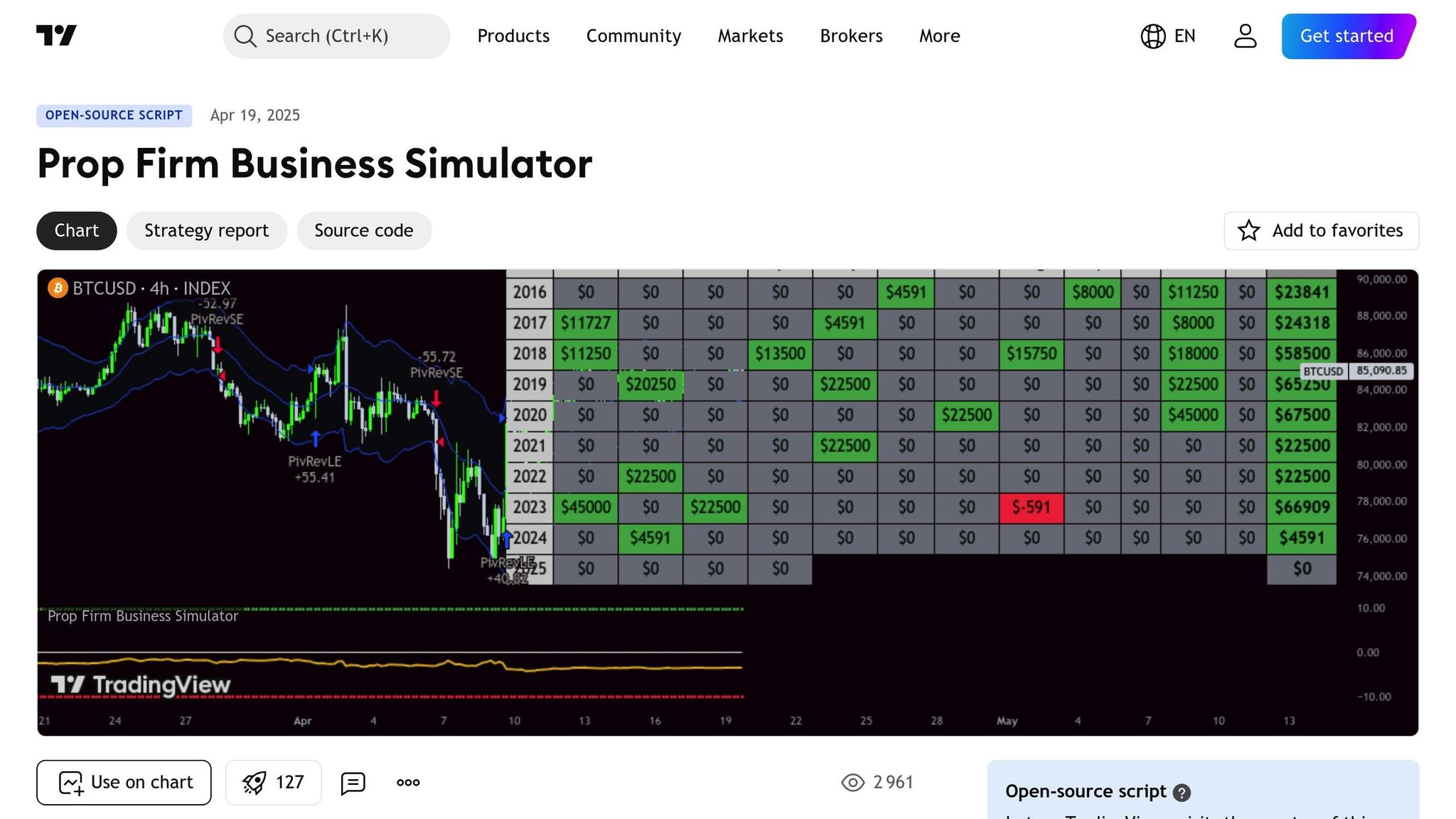
This simulator is designed to guide traders through the different phases of a prop firm challenge - Phase 1, Phase 2, and Funded - while ensuring all profit targets and general rules are followed. It keeps a close eye on maximum and daily drawdowns in real time, with the daily limit resetting at the start of each trading day. Built specifically for funded traders, it provides a realistic financial model that mirrors actual trading conditions.
If a trader breaches the drawdown limits, the tool deducts the challenge fee from their gains, simulating the cost of a failed attempt. On the flip side, when profit targets are reached, it credits payouts, refunds, and bonuses to the equity curve for a more accurate financial projection.
Beyond compliance tracking, the simulator also allows for in-depth backtesting to validate trading strategies.
Backtesting and Strategy Validation Features
This open-source script offers a straightforward testing setup. Traders can simply replace the top section of the script with their own Pine Script code (version-matched) to simulate how their strategies would perform under prop firm conditions. The tool also includes a performance calendar that breaks down monthly and yearly gains, helping traders set realistic expectations for payouts.
"I've specifically developed this for traders that want to treat prop firms as a business. And as a business you want to know your monthly costs and income depending on the trading strategy and prop firm challenge you are using." – Honestcowboy, Script Creator
The simulator’s bottom pane provides a detailed view of performance across the challenge phases. If a target is hit in just one bar, it flags excessive risk and highlights the lack of consistency needed for real-world prop trading. To add another layer of realism, the script includes a default commission of 0.05% per trade, simulating typical CFD spreads and trading costs.
2. Prop Firm Guard: Risk & Sizing Tracker by TFT
Real-Time Compliance Monitoring
The Prop Firm Guard script acts as a live dashboard, keeping track of firm-specific rules in real time. It monitors critical metrics like Max Daily Loss, Max Total Loss (drawdown), and Profit Targets, helping you avoid breaches that could lead to disqualification. A color-coded system makes it easy to understand your status: green checkmarks confirm compliance, while red "X" marks indicate violations.
For example, FTMO challenge limits typically range from $500 Max Daily Loss on a $10,000 account to $10,000 on a $200,000 account. Max Total Loss limits are double these figures. The script also tracks the minimum trading days requirement, which is generally four consecutive days for all account sizes. This alert system integrates seamlessly with advanced risk management tools, ensuring you stay on track.
Risk Management and Position Sizing
The script uses ATR-based sizing to calculate lot sizes dynamically, ensuring your trades align with risk parameters and stay within drawdown limits. The ATR factor helps you place your stop loss beyond normal market fluctuations, which is especially helpful when trading volatile instruments.
"This indicator prompts traders to verify that each trade setup is mathematically sound."
If your broker doesn’t support fractional units, you can manually round lot sizes to the nearest whole number. Additionally, the script highlights the importance of maintaining a 3:1 risk-to-reward ratio. Even with a 40% win rate, this ratio can help you remain profitable.
Automation and Efficiency in Trading Workflows
Once your risk management is in place, the next step is to simplify execution. The Entry Connector feature lets you link external indicators directly to the Guard script. By creating a signal variable in your primary indicator (1 for long, -1 for short) and plotting it to the data window, the Guard automatically captures and tracks those signals. When you hit your profit target and fulfill the minimum trading days, the script can automatically close all positions. This ensures you lock in gains and avoid unnecessary losses after passing a challenge phase.
"I believe a toolkit allowing to test in minutes whether a strategy would have passed a prop firm challenge in the past could be very powerful." – Daveatt
Rather than generating trade signals, the script serves as a mathematical filter. It’s designed to validate whether a trade setup aligns with your risk criteria before execution, making it a valuable tool for disciplined trading.
3. 15m BOS + OTE + FVG + OB (Prop Firm)
High-Probability Confluence for Drawdown Protection
This script enforces Smart Money Concepts with precision, ensuring only high-quality setups trigger signals. A signal is generated when a confirmed Break of Structure (BOS) aligns with a recent Fair Value Gap (FVG) and falls within the Optimal Trade Entry (OTE) zone, specifically between the 0.705–0.79 Fibonacci levels.
"A signal only appears when: A BOS or CHoCH is confirmed... [and] validated by the creation of a recent Fair Value Gap (FVG), indicating strong momentum." – babyd7717, Script Author
Each signal automatically includes a stop loss set at the last protective swing point or liquidity support, creating a predefined risk limit. Additionally, the script calculates multiple Take Profit levels using Fibonacci ratios, enabling a structured approach to scaling out.
Session Discipline and Overtrading Prevention
To strengthen risk management, the script incorporates session-specific trading rules. Using "Killzone" filters, it limits trading to high-volatility periods like the New York Open or London Open. This helps avoid the choppy price action that often leads to low drawdown rules. For prop firm traders, some versions include logic that allows only one trade at a time, directly addressing overtrading - one of the most common reasons for evaluation failures.
"This prevents overtrading - the #1 cause of evaluation and account breaches." – christopher33g, Script Author
4. Supertrend Automation Scripts
Automation and Efficiency in Trading Workflows
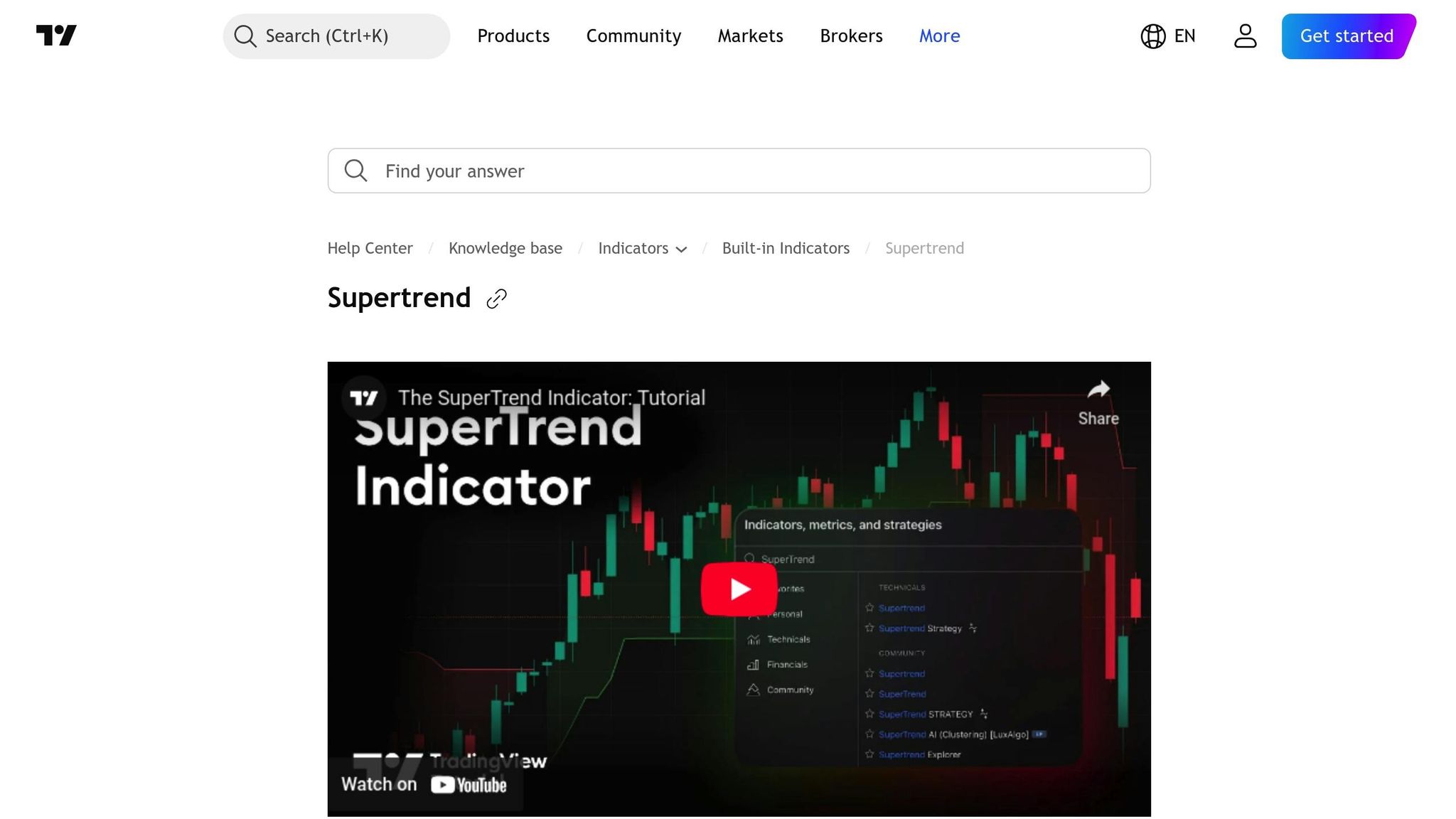
Supertrend automation scripts take trading efficiency to the next level by dynamically adjusting stop-loss and take-profit levels based on the Average True Range (ATR). ATR helps measure market volatility, and these scripts use it to set stops at a calculated distance - usually 1.5x to 2x the ATR - from the entry price. This ensures that risk adapts to current conditions, with wider stops during high volatility and tighter stops when the market is calmer.
"The average true range (ATR) plays a key role in 'Supertrend' as the indicator uses ATR to compute its value and it signals the degree of price volatility." – Starbots
More advanced versions of these scripts go a step further by integrating self-optimizing algorithms. These test up to 15 different parameter sets and automatically switch to the most effective one as market conditions evolve. Another handy feature is session-based auto-close, which closes all positions at a set time - like 5:00 PM GMT - to avoid overnight risks or comply with rules against holding trades over the weekend.
Risk Management and Position Sizing
Supertrend scripts also excel in risk management by calculating position sizes with precision. They determine the distance between the entry point and the Supertrend stop, ensuring your risk stays within a predefined amount - whether that’s a fixed dollar value or a percentage of your account. For instance, if you’re risking $500 and the stop is 50 points away, the script adjusts your position size so that a loss at the stop equals exactly $500.
These tools also allow for partial exits, such as closing 33% of the position at the first target, another 33% at the second target, and letting the rest trail the stop. This structured approach not only locks in profits but also leaves room to benefit from extended price moves. Such meticulous risk management aligns seamlessly with backtesting protocols.
Backtesting and Strategy Validation Features
To ensure a Supertrend strategy is capable of meeting profit targets, backtesting is key. Scripts should factor in realistic execution costs, such as commissions ranging from 0.02% to 0.05% per side and slippage of 2–5 ticks. Using 12–36 months of historical data to generate a sample of at least 600 trades provides a solid statistical foundation. Signals are calculated based on confirmed bar closes, eliminating the risk of lookahead bias.
"To publish non-misleading results: Initial Capital: $10,000–$25,000... Commission: 0.02–0.05% per side... Slippage: 2–5 ticks." – uzair2join, Script Author
Adding a volume filter enhances strategy validation even further. For example, signals can be triggered only when the current volume is at least 2.0x the 20-bar moving average. This extra layer ensures that trades align with strong market activity, improving reliability.
TradingView Indicators for Prop Firm Traders

5. Pivot Reversal Strategy Entries
This script sharpens trade entries by combining liquidity-based reversals with automated execution, making it a valuable tool for funded traders.
Risk Management and Position Sizing
Pivot reversal scripts are designed to identify key liquidity levels where prices tend to bounce or reverse. These bounce trades come with a roughly 50-50 win rate but offer a high risk-to-reward ratio, making them effective for hitting profit targets without relying on heavy leverage. The critical element is determining position size based on the distance between your entry point and the pivot-based stop-loss level.
Most traders manage their risk by limiting exposure to 1%-2% of their capital using a fixed fractional risk model. The formula for position size is straightforward:
Position Size = Floor(Risk Amount / (Distance in Points × Contract Multiplier)).
For example, if you're risking $500 on an E-mini S&P 500 trade with a 10-point stop and a contract multiplier of 50.0, the calculation would look like this: Floor($500 / (10 × 50)) = 1 contract. Advanced scripts simplify this process by automating the calculation and displaying "Actual Risk . Advanced scripts simplify this process by automating the calculation and displaying "Actual Risk $" directly on your chart before executing the trade [41].quot; directly on your chart before executing the trade.
"These bounce plays are high risk as it's generally 50-50, but the risk to reward is typically also very high, making them very valuable to take." – sayopony, Script Author
With precise risk management in place, automation features take efficiency and execution to the next level.
Automation and Efficiency in Trading Workflows
To complement strong risk management, automation features ensure trades are executed quickly and accurately. Pivot reversal scripts can trigger alerts that include stop-loss, take-profit, and break-even instructions. When paired with tools like TradingConnector, these instructions are executed in MetaTrader 4/5 within about one second of the signal. This speed eliminates delays from manual execution, a crucial advantage for traders adhering to strict daily loss limits.
"Trade gets executed inside MetaTrader within 1 second of fired alert." – Peter_O, Script Author
Advanced scripts also include features like left/right bar limits to filter out false pivots caused by minor price fluctuations. This helps avoid unnecessary trades that could chip away at your drawdown. Another feature, "Remove On Close" (ROC), ensures that pivot levels are only removed when a candle fully closes beyond them, shielding traders from temporary liquidity sweeps that don’t signal a true trend change.
Backtesting and Strategy Validation Features
TradingView's Strategy Tester is a powerful tool for validating pivot reversal strategies using historical data. Key performance metrics like max drawdown and profit factor can be analyzed to gauge the strategy's effectiveness. To improve accuracy, enable the Bar Magnifier feature when testing on higher timeframes like 1H or 4H. This uses lower timeframe data for more precise intrabar order fills, avoiding unrealistic same-bar fills that could skew backtest results.
You can also set custom date ranges to evaluate how the strategy performs under specific market conditions or during prop firm evaluation periods. To ensure compliance, Pine Script's strategy.risk.* namespace allows you to embed limits - like maximum intraday orders - directly into the script. This ensures the strategy halts trading before breaching any firm rules. These tools help validate that your pivot reversal strategy aligns with performance goals and trading requirements.
6. Custom Multi-Indicator Confluence Alerts
A multi-indicator alert system helps traders focus on high-quality setups by filtering out low-probability trades. This reduces overtrading - one of the main reasons traders face drawdown violations - and ensures alerts are triggered only for setups that meet strict, measurable criteria.
Risk Management and Position Sizing
Confluence dashboards monitor up to 13 technical indicators simultaneously, such as RSI, MACD, EMA crosses, and volume breakouts, to calculate a real-time bias percentage. Traders often set a threshold of 60% to 70% confluence before acting on a trade signal. This filtering process prevents impulsive decisions and helps maintain drawdown limits by focusing only on high-probability opportunities.
Advanced scripts take this a step further by incorporating ATR data, which enables dynamic position sizing. These scripts also embed stop-loss and take-profit parameters directly into alerts. This level of precision not only reduces risk but also streamlines the path toward automated trading.
Automation and Efficiency in Trading Workflows
Multi-condition alert builders offer flexible logic modes to suit different trading strategies. For example, the "All - Same Bar" mode ensures every condition - such as an EMA cross, RSI level, and volume breakout - aligns on the same candle, delivering pinpoint entries. On the other hand, the "All - Within Bars" mode allows conditions to be met within a specified lookback window, such as 3 bars, which is useful when signals arrive slightly out of sync. These options let traders visually design and test complex strategies.
| Logic Mode | Description | Usage |
|---|---|---|
| Any | Triggers when any single active condition is met. | Ideal for scalping or volatile breakouts. |
| All - Same Bar | Requires all active conditions to align on one candle. | Best for precise entries (e.g., EMA + RSI). |
| All - Within Bars | Conditions must align within a set lookback window. | Useful for trend-following strategies. |
For seamless execution, alerts can be formatted as JSON strings and sent via webhooks. This eliminates manual errors and emotional decision-making by connecting TradingView to execution platforms or bots compatible with prop trading firms.
Backtesting and Strategy Validation Features
To ensure reliability, these systems include robust backtesting capabilities. Many confluence dashboards are built as "Strategy Suites," allowing traders to test combined indicator logic before deploying it in live accounts. Using alert.freq_once_per_bar_close ensures trade signals are only confirmed after the bar closes, avoiding premature entries.
For traders focusing on daily timeframes, these systems often generate just 4 to 8 high-quality signals over a 4-month period, emphasizing quality over quantity. This aligns with the expectations of prop firms, where consistent performance and disciplined risk management take precedence over frequent trading. By validating strategies through backtesting, traders can confirm their system’s reliability across different market conditions before committing real capital.
7. Volume Profile and Moving Averages Overlay
Prop Firm Compliance
In funded trading, pinpointing key price levels is essential for managing risk and staying compliant with firm rules. The Volume Profile tool identifies the Point of Control (POC) - the price level with the highest trading activity. This level often acts as a magnet for price reversion, creating opportunities for traders to meet profit goals while avoiding unnecessary risk. When prices stray far from the POC, traders can capitalize on these deviations for mean-reversion trades.
The script also highlights Low Volume Nodes (LVNs), which are areas of rapid price movement with minimal order flow. These zones help traders set efficient profit targets, while High Volume Nodes (HVNs) provide safer entry points.
Another feature, Efficiency Grading, uses A/B/C ratings to signal market conditions. For example, Grade C represents choppy, low-conviction price action, which can lead to small, frequent losses and increase the likelihood of breaching daily loss limits. By avoiding trades during Grade C periods, traders can better protect their accounts. This clear visualization of volume clusters supports both compliance and precise risk management.
Risk Management and Position Sizing
"The 2% rule in funding traders means never risking more than 2% of your total capital or account size on a single trade. This helps manage risk, protect your funded account, and stay within drawdown limits."
– Alyaziah Hayat, Blog Author, Defcofx
Position sizing and stop-loss levels are tied to the Value Area, which represents the price range where 70% of trading activity occurs. This range serves as a statistical boundary for normal price movement, helping traders size their positions appropriately.
The overlay also incorporates ATR-based expansion lines to adjust these zones according to market volatility. This dynamic adjustment prevents premature exits in volatile markets while ensuring position sizes stay within prop firm drawdown limits of 8–10%. These tools help traders follow strict risk and drawdown policies effectively.
Automation and Efficiency in Trading Workflows
The script automates the identification of key levels like the POC, HVNs, and Value Areas, reducing the risk of manual errors. By integrating Volume Profile with Moving Average overlays, traders can set up confluence-based alerts that activate only when price interacts with high-volume areas during a confirmed trend.
This system also automates tasks like issuing alerts via webhooks, switching timeframes, and clearing outdated nodes to maintain chart clarity. These alerts allow for hands-free trading on a VPS, running continuously without the need for constant monitoring. By streamlining workflows and syncing with execution systems, this overlay significantly improves trading efficiency.
8. Trailing Drawdown and Daily Loss Tracker
Prop Firm Compliance
The Trailing Drawdown and Daily Loss Tracker is a key tool for maintaining disciplined risk management, especially for traders working with funded accounts. This script visually displays metrics like Max Daily Loss, Total Loss, and Profit Targets directly on your chart. Visual cues, such as checkmarks (✓) and crosses (✗), make it easy to assess your compliance status at a glance.
For instance, on a $100,000 account, the tracker monitors thresholds in real time. This is especially helpful during high-volatility events when staying within limits is critical.
"The FTMO Rules Monitor is designed to help you stay within FTMO's strict risk management guidelines directly on your chart."
– Daveatt
Advanced trackers also distinguish between different types of drawdowns. A Rolling Period Max Drawdown tracks losses from peak to trough over customizable timeframes. This is vital for firms that use trailing drawdown rules instead of fixed ones.
These tools are not just about compliance - they also encourage precise risk management.
Risk Management and Position Sizing
The best trackers provide Warning Alerts before you hit hard limits. For example, if your daily loss limit is -5%, you can set an alert at -4%, giving you time to adjust manually or trigger automated actions.
Some scripts go further by integrating ATR-based position sizing tools. These tools calculate the optimal lot size for each trade, ensuring your stop-losses remain within the firm's daily or total drawdown limits. Additionally, features like a Losing Streak Simulator allow traders to model the effects of consecutive losing trades, helping refine position sizes before entering the market.
| Account Size | Max Daily Loss | Max Total Loss | Profit Target |
|---|---|---|---|
| $10,000 | $500 | $1,000 | $1,000 |
| $50,000 | $2,500 | $5,000 | $5,000 |
| $100,000 | $5,000 | $10,000 | $10,000 |
| $200,000 | $10,000 | $20,000 | $20,000 |
These are typical FTMO Challenge parameters monitored by compliance scripts.
Accurate risk alerts and position-sizing tools make managing trades more efficient and safer.
Automation and Efficiency in Trading Workflows
Automation is another significant advantage of these trackers. Scripts can automatically close all open positions when you hit a profit target or breach a loss limit, ensuring compliance with general trading rules. Advanced templates also stop trading entirely if your equity falls below a specific drawdown percentage.
Many trackers support webhook integration, enabling seamless communication with third-party bots or brokers. This allows for automated trade execution and risk management without requiring manual input.
Additionally, these tools often track the minimum trading days required to pass a challenge - usually around four consecutive days - alongside your financial metrics. This added functionality streamlines the process, letting traders focus on strategy rather than administrative details.
9. Backtesting Replay Mode Custom Strategies
Backtesting and Strategy Validation Features
Backtesting replay mode scripts have transformed how funded traders validate their strategies. TradingView's Strategy Tester includes a Drawdown column plot, which makes it simple to see how much equity dips below its peak during a series of trades. This is particularly useful for determining whether your strategy would exceed a prop firm drawdown rules. The Performance Summary and Overview tabs provide detailed metrics like Net Profit and Total Return, helping you evaluate if your strategy can realistically hit profit targets during typical evaluation periods.
A standout feature is the Bar Magnifier, which uses lower-timeframe data to simulate whether a stop-loss or take-profit was triggered first within a single bar. Without this tool, the broker emulator assumes price moves in a set order (Open → High → Low → Close), which can lead to inaccurate results when testing entries and exits within the same bar.
"Modern trading is impossible without testing trading strategies." – Leon Datare, Founder, ScriptAlgo
Scripts also allow traders to filter trades by specific date ranges, making it easy to replicate the 30-day or 60-day evaluation periods used by prop firms. This precision in simulation naturally supports effective risk management during testing.
Risk Management and Position Sizing
Accurate backtesting is only part of the equation - strong risk management is equally critical. Backtesting scripts can dynamically size positions by allocating a fixed percentage of risk based on the stop-loss distance . For instance, if you’re risking 1% of a $50,000 account (or $500) and your stop-loss is 50 pips away, the script calculates the proper lot size to maintain that risk level for every trade.
These scripts also offer a variety of stop-loss options, such as ATR-based, candle-based, or pivot point stops . Many even include breakeven and trailing stop mechanisms, which automatically adjust the stop to the entry price once a specific profit level is reached, securing gains without the need for manual adjustments .
Beyond profit calculations, these tools provide advanced metrics like the Sharpe Ratio (return per unit of overall risk), Sortino Ratio (return per unit of downside risk), and Calmar Ratio (return relative to maximum drawdown). For example, a backtest of a High-Low Range MA Crossover strategy over 1.5 years showed a 94% total profit with only a 4% maximum drawdown, proving that even a 43% win rate can be highly profitable when paired with proper risk management.
Automation and Efficiency in Trading Workflows
Backtesting scripts go beyond basic simulations by accounting for real-world variables, such as slippage, fees, and commissions, allowing traders to quickly optimize profit factors and manage drawdowns. For crypto backtesting, commissions are often set at 0.1% for realistic results.
Traders can use strategy.risk.* functions to enforce prop firm rules directly within the script. For example, strategy.risk.max_intraday_filled_orders can halt trading for the day once a predetermined number of trades is reached, helping to prevent overtrading. Similarly, strategy.exit with bracket orders ensures every simulated trade has a predefined stop-loss and take-profit, mirroring the strict risk management standards required by funded accounts.
Once strategies are validated, they can be connected to execution bots via webhooks, enabling hands-free trading directly from TradingView alerts. To avoid inflated results, always configure commission and slippage settings in the "Properties" tab. And before moving a strategy to live trading, ensure it has been tested for at least six months in a realistic, simulated environment. By integrating backtesting with compliance automation, traders can confidently transition to live funded trading while maintaining disciplined risk management. This approach bridges the gap between testing and real-world execution, setting the stage for efficient and effective trading workflows.
10. Position Sizing and Profit Target Visualizer
Risk Management and Position Sizing
Position sizing visualizers take the guesswork out of trading by calculating the exact number of lots, contracts, or shares you should trade. Using the formula:
Position Size = (Account × Risk %) ÷ Stop Distance,
these tools automatically determine your position size based on a pre-set risk percentage, typically ranging from 0.25% to 2% per trade. This eliminates the need to manually crunch numbers, saving time and reducing errors.
Interactive features allow you to adjust entry, stop-loss, and take-profit levels directly on the chart. As you move these lines, the tool recalculates position size, risk amount, and potential profit in real time. This approach emphasizes "risk-first thinking", encouraging traders to decide how much they’re willing to lose before entering a trade, rather than relying on emotions.
"90% of traders blow up because they size positions emotionally. This tool forces Risk-First Thinking: choose the amount you're willing to lose, and the script reverse-engineers everything else." – luvrohit1010, Creator of Risk Calculator PRO
Advanced scripts often include a "Cap Position to Account Size" feature, which ensures you don’t open positions larger than your available cash or margin allows. This is especially important when trading under leverage restrictions imposed by prop firms. Some tools also incorporate volatility adjustments using Average True Range (ATR), helping you place stop-losses outside normal market fluctuations to avoid premature exits and unnecessary drawdowns.
Prop Firm Compliance
These visual tools do more than calculate numbers - they help traders stay compliant with prop firm rules. Features like compliance markers plot entry, stop-loss, and take-profit levels, with shaded areas visually indicating profit (green) and loss (red) zones. An information panel compares your target risk with your actual risk, ensuring you don’t accidentally exceed daily loss limits or maximum drawdown thresholds.
| Feature | Benefit for Funded Traders | Prop Firm Rule Addressed |
|---|---|---|
| Risk % Input | Automatically calculates lot size to match risk | Daily/Max Drawdown Limits |
| Account Cap | Prevents over-leveraging beyond available cash | Leverage/Margin Restrictions |
| R:R Visualizer | Ensures trades meet required reward-to-risk ratio | Profit Target Efficiency |
| ATR Multiplier | Adjusts stops for market volatility | Stop-Loss Consistency |
| P&L Table | Shows potential loss in currency before entry | Risk-per-Trade Compliance |
Many tools also support trading across multiple assets and handle currency conversion automatically, showing profit and loss in your account’s base currency. This feature is crucial when trading instruments in different currencies, as it keeps your drawdown calculations accurate. Some visualizers even offer "Setup Grades" (A, B, C, D presets) to quickly apply different risk levels depending on trade quality, while ensuring you stay within your firm’s maximum risk-per-trade cap.
Automation and Efficiency in Trading Workflows
Position sizing visualizers streamline the trading process by automating alerts for stop-loss or take-profit hits. Once configured, these alerts notify you even when you're away, ensuring trades are executed as planned without requiring constant monitoring. Some scripts also generate CSV-formatted labels on your chart, making it simple to export trade data into Excel or Google Sheets for detailed record-keeping, a common requirement for prop firms.
Before executing trades, double-check that your "Value per tick" or "Lot size" settings match your prop firm’s broker data. By combining automated position sizing with real-time compliance checks, these tools help traders maintain disciplined risk management - a key factor in staying profitable and avoiding account breaches.
Conclusion
TradingView scripts are revolutionizing how funded traders approach the markets by simplifying complex tasks and promoting disciplined trading practices. Instead of manually calculating position sizes or juggling multiple timeframes, these tools take care of the technical heavy lifting, allowing you to focus on making informed trading decisions. What makes this even more powerful is the support of a thriving developer community. With over 150,000 scripts available on TradingView, there’s a solution for nearly every trading hurdle.
The real power of these scripts comes when paired with rigorous testing. Backtesting helps uncover critical metrics like drawdown and profit factor, while dynamic indicators and strict risk management rules ensure you're ready to handle market volatility.
"Pine Script is designed as a lightweight, yet powerful, language for developing indicators and strategies that you can then backtest." – TradingView
For the best results, test these scripts on For Traders using simulated accounts and custom parameters. This approach helps fine-tune your strategy while directly boosting profitability. With AI-driven risk management tools and bi-weekly payouts, even small efficiency improvements can make a noticeable impact on your earnings.
To get started, choose two to four scripts that address your specific challenges - whether it’s spotting high-probability setups, managing risk, or maintaining compliance. Validate their effectiveness through historical testing and paper trading before fully integrating them into your workflow. At the end of the day, the difference between struggling and consistently profitable traders often boils down to having systems in place that enforce discipline and manage risk effectively, especially during volatile market conditions. These tools equip funded traders to achieve steady performance and robust risk control.
FAQs
Which scripts should I start with for my prop firm rules?
Start by building scripts centered around risk management, trade execution, and automating strategies. Tools such as Precision Trade Manager are excellent for managing critical aspects like entries, stop-losses, position sizing, and profit targets. For those looking to pinpoint key volume levels, custom indicators like Volume Cluster Profile can be incredibly helpful in staying aligned with firm rules. If you're working with trend-following or reversal strategies, Dynamic Extreme Channels & Reversals delivers adaptive signals to help maintain discipline and stick to your trading plan effectively.
How do I set risk per trade so I don’t breach drawdown limits?
Managing risk is a critical part of trading, and using a script can make it easier to calculate your position size based on how much you're willing to lose. Tools like "Risk Management: Position Size & Risk Reward" or "Risk and Position Sizing" can help you stay within your risk tolerance.
Here's how it works: You set a risk percentage (like 1% of your account) or a fixed dollar amount (say, $1,000) that you're comfortable losing on a trade. Then, input your stop loss level into the script. The tool will calculate the appropriate position size, ensuring that even if the trade goes against you, your losses won't exceed your preset limit.
This approach keeps your trading disciplined and protects your account from significant drawdowns.
How can I backtest these scripts without unrealistic results?
When backtesting, it's crucial to avoid unrealistic outcomes that could mislead your strategy development. Tools like the Bar Magnifier can help by providing a more detailed and accurate simulation of historical data. Pair this with reliable methods like forward testing and a structured approach to analyzing results. This combination helps create a testing environment that mirrors real market conditions more closely, giving you performance insights you can trust. Always aim to align your strategy with practical, real-world scenarios for better reliability.
Related Blog Posts
Start Trading with For Traders
Join our platform to test your trading skills, trade virtual capital, and earn real profits. Access educational resources, advanced tools, and a supportive community to enhance your trading journey.
Start your Trading Challenge