


MetaTrader 5 (MT5) is a powerful trading platform, but its default setup can feel limiting when managing complex strategies or multiple positions. Add-ons are the key to optimizing your trading experience, offering tools for automation, risk management, and advanced analysis. Here's a quick look at 10 essential MT5 add-ons that can help you trade more effectively:
- Autochartist: Scans for patterns and predicts price ranges with a built-in risk calculator.
- FX Blue Advanced Trading Tools: Includes over 35 tools like a trading simulator, position size calculator, and alarm manager.
- Smart Trader Tools: Offers 28 tools, including a trade terminal, correlation matrix, and stealth orders.
- Expert Advisors (EAs): Automated trading systems for consistent and emotion-free execution.
- Custom Indicators: Over 4,712 free tools on the MQL5 Marketplace for deeper market analysis.
- Position Size Calculator: Ensures accurate lot sizing based on risk percentage and stop-loss distance.
- Trade Copier: Automatically replicates trades across multiple accounts with minimal delay.
- Dynamic Margin and Leverage: Adjusts trading conditions automatically to manage risk during volatility.
- Advanced Stopouts: Custom triggers to protect your account from severe losses.
- MT5 VPS Hosting: Ensures uninterrupted trading with ultra-low latency and 24/7 operation.
These add-ons improve efficiency, automate repetitive tasks, and help safeguard your capital. Whether you're a beginner or a seasoned trader, these tools can elevate your trading game.

10 Essential MT5 Trading Add-ons Comparison Chart
Smart Trader Tools - Installing & using Smart Trader tools on MetaTrader 5
1. Autochartist
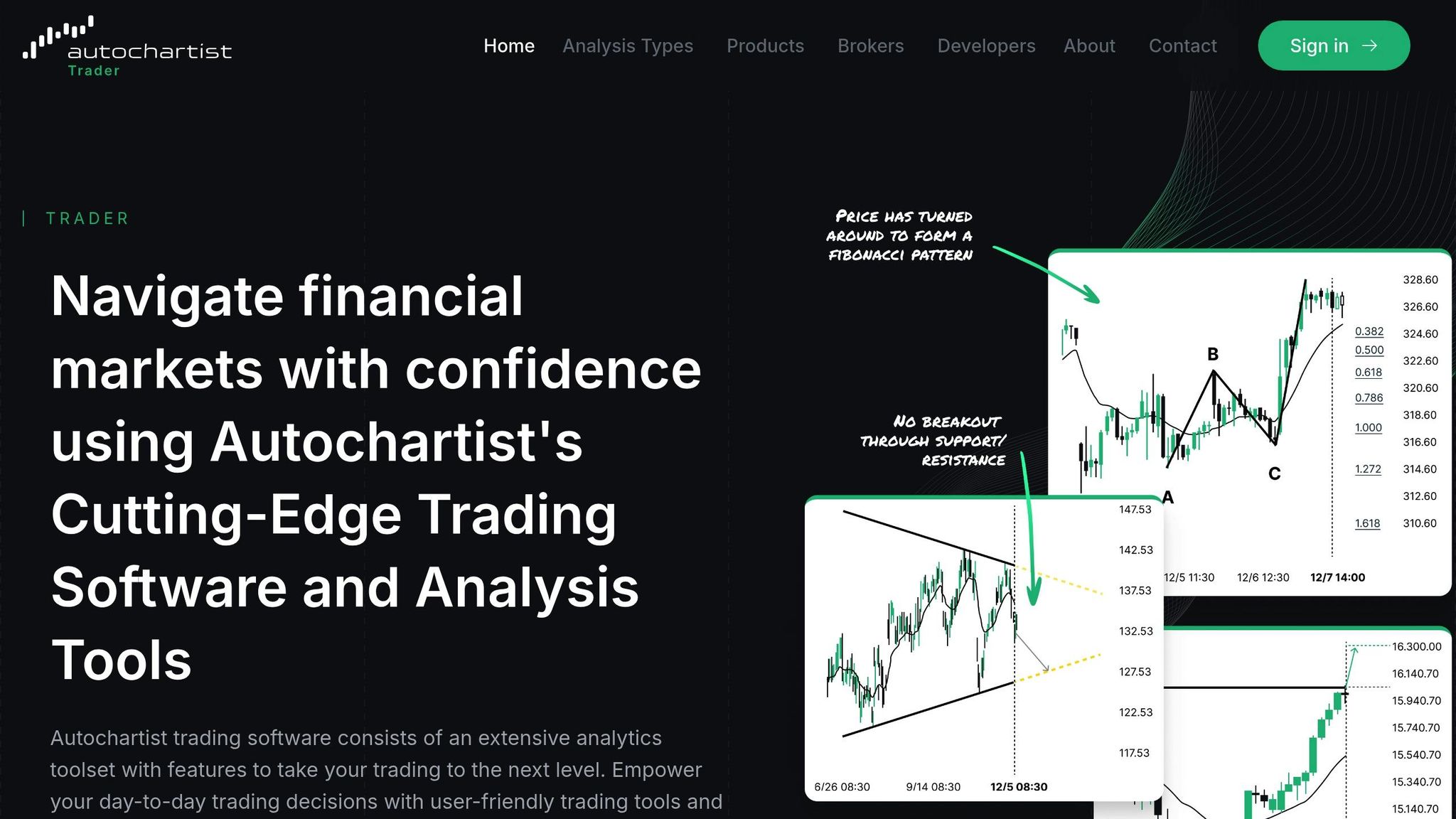
Autochartist is a powerful tool that continuously scans your MT5 watchlist for patterns like wedges, triangles, Fibonacci setups, and key support/resistance levels. It works across multiple timeframes - M15, M30, H1, H4, and D1. Operating as a custom Expert Advisor within your MT5 Navigator window, it starts analyzing all symbols in your Market Watch as soon as you drag it onto a chart.
Integration with MT5
Setting up Autochartist on MT5 is straightforward and adds a layer of real-time analysis. To get started, enable "Allow WebRequests" by navigating to Tools > Options > Expert Advisors. If the installer doesn’t automatically detect your MT5 directory, you can manually locate the "MQL5/Indicators" or "MQL5/Experts" folder through File > Open Data Folder. The tool provides a visual dashboard where you can click a "View" button to instantly switch to the chart and timeframe where a specific pattern was identified.
Boosting Trading Efficiency
This plugin focuses on filtering high-probability setups, showing only patterns with a historical success rate of at least 65%, particularly on H4 and longer timeframes. Additionally, its Volatility Analysis Tool predicts price ranges for intervals ranging from 15 minutes to 24 hours. These forecasts are based on rolling data from the past six months, offering traders actionable insights.
Risk Management Features
Autochartist also includes a built-in Risk Calculator to optimize position sizing. By factoring in account balance, risk percentage, and stop-loss distance, it calculates the ideal trade size. You can adjust stop-loss levels directly on an interactive chart line, which instantly updates the recommended volume. The tool also monitors overall account exposure and sends alerts if risk thresholds are exceeded. ACY Securities highlights the importance of such features:
"A Position Size Calculator isn't a luxury; it's a non-negotiable tool for building a 'margin of safety' against the unforced error of incorrect risk calculation."
Many brokers provide Autochartist for free with funded accounts, while standalone subscriptions start at $29 per month.
2. FX Blue Advanced Trading Tools
FX Blue brings a collection of over 35 tools designed to enhance the functionality of MT5. These include calculators, automation features, and workspace management tools that simplify and improve your trading experience. To get started, run the setup program, enable "Allow DLL imports" and "Allow automated trading", then restart MT5 to activate the tools.
Boosting Trading Efficiency
One standout feature is the Chart Quick-Tools hotkeys. These let you update indicators, templates, symbols, and timeframes across all charts simultaneously with just one keystroke. It’s a simple way to keep your workspace consistent and organized.
Another game-changer is the Trading Simulator, which transforms MT5's Strategy Tester into a hands-on practice environment. With this tool, you can test strategies using historical data, place market or pending orders, and adjust stop-loss or take-profit levels directly on the chart. It also supports trailing stops for added flexibility. What’s more, the simulator allows multi-symbol testing, letting you monitor and trade multiple instruments at once in real-time.
These tools don’t just save time - they also improve how effectively you manage your trading environment.
Tools for Risk Management
FX Blue provides several tools to help you stay on top of risk management. The Position Size Calculator makes it easy to determine the correct lot size for a specific cash risk. For instance, if you want to risk $100 on a trade, the calculator will figure out the exact volume you should use.
The Correlation Matrix is another handy feature, showing how different currency pairs move in relation to each other. This insight helps you avoid taking on too much risk with correlated positions.
For added control, the Alarm Manager can trigger alerts or even automated actions. It monitors account margin levels, price movements, and technical indicators like RSI and MACD. Whether you want a heads-up about a key market move or need to automate a reaction, this tool has you covered.
Automation Features
FX Blue’s automation tools are designed to keep you informed and in control. The Alert Forwarder scans MT5 logs and sends notifications via email, SMS, Twitter, or push notifications. For example, you can configure it to watch for the word "failed" in the Journal, ensuring you’re immediately notified if an order is rejected. It can even take automated screenshots of your chart when specific log entries appear.
For those who enjoy working with spreadsheets, Excel RTD connects MT5 to Excel, enabling real-time monitoring and even trading directly from within Excel using VBA. If SMS notifications are your preference, you’ll need to set up a third-party account with providers like Nexmo or Clickatell.
These tools combine convenience, flexibility, and control, making FX Blue a powerful addition to your trading toolkit.
3. Smart Trader Tools
Smart Trader Tools expands on FX Blue's capabilities by offering a tailor-made suite for MT5 users. This package includes 28 expert tools - split between 13 Expert Advisors and 15 custom indicators - developed by FX Blue Labs. Installation is quick, taking less than 5 minutes, and the tools are immediately available in your MT5 Navigator panel.
Integration with MT5
The suite is delivered as a single installer that automatically detects your MT5 directory. Once installed, all tools are neatly organized in the Navigator panel under Expert Advisors and Indicators. The Trade Terminal serves as a professional-grade dashboard, allowing you to manage all your open positions from a single screen - no more jumping between multiple windows. For visual analysis, tools like the Mini Chart and Chart-in-Chart indicators let you view secondary timeframes or instruments directly within your main chart window. This streamlined integration makes advanced trading tools readily accessible.
Boosting Trading Efficiency
The Mini Terminal simplifies trading with one-click execution and preset lot sizes, while the Market Manager consolidates key market data for quicker analysis and decisions. For example, instead of manually calculating position sizes, you can set a fixed cash risk - such as $50 per trade - and the tool automatically adjusts your lot size based on your stop-loss. The Market Manager also combines spreads, swaps, pip values, and price movements into a single, detailed market watch window, giving you instant insights. The Session Map highlights global trading sessions (London, New York, Tokyo, Sydney) and their overlaps, helping you pinpoint high-liquidity periods with tighter spreads.
Risk Management Features
Risk management is a key focus of Smart Trader Tools. The Correlation Matrix provides a real-time heat map of currency pair relationships, helping you avoid overexposure to correlated positions. Stealth Orders let you keep stop-loss and take-profit levels hidden from brokers, executing locally when your target price is reached. The Alarm Manager allows you to set up alerts based on price movements, account events, or technical indicators, with notifications sent via email or push alerts. Considering that 80.1% of retail investor accounts lose money trading CFDs with providers like Pepperstone, these tools are invaluable for managing risk effectively.
Automation Features
Smart Trader Tools also automates critical trading functions to enhance speed and precision. For instance, Smart Lines enable automated trade execution when price touches trendlines, with options for trailing stops and partial closes. The Excel RTD feature streams live data into Excel, enabling custom analytics and deeper market insights. Best of all, the entire suite is free for those who open and fund a live account with participating brokers such as Pepperstone, IC Markets, Vantage, FP Markets, Axi, and Admirals.
4. Expert Advisors (EAs)
Expert Advisors, or EAs, are automated trading systems programmed in the MQL5 language, tailored specifically for the MT5 platform. These trading "robots" handle everything from identifying trade signals to executing trades, offering a consistent and emotion-free approach to the market. According to data from the MQL5 community, automated systems outperform manual trading in 70% of backtests, thanks to their disciplined execution and ability to monitor the market round the clock.
Integration with MT5
To use an EA, simply place the .ex5 or .mq5 file into the MQL5/Experts folder on your MT5 platform. Then, drag the EA onto your chart and activate it by clicking the green "Algo Trading" button. Most EAs include modules for signal generation, money management, execution, and risk filtering. Before using an EA with real money, leverage MT5's Strategy Tester to backtest its performance using the "every tick based on real ticks" option. This ensures you can evaluate its reliability in different market conditions.
This integration provides a solid foundation for traders looking to dive into automated trading.
Automation Capabilities
EAs simplify trading by automating processes and executing trades with speed and precision. They can monitor multiple assets simultaneously and act faster than any human could. By sticking to predefined rules, EAs eliminate emotional mistakes like fear of missing out (FOMO) or revenge trading. As trading mentor Saeid Soleimani explains:
EAs amplify strategy, not replace it. Combine with psychology and backtesting prowess for unbreakable edges.
For uninterrupted performance, consider running your EA on one of the best VPS providers, ensuring it operates around the clock without interruptions.
Support for Risk Management
EAs are designed to enforce strict risk management. They automatically apply stop-loss and take-profit levels, adjust lot sizes dynamically, and even pause trading during unfavorable conditions. Properly optimizing an EA can potentially improve win rates by up to 30%. It's wise to test any new EA on a demo account for one or two months to see how it performs in live market conditions. Additionally, when using multiple EAs on the same account, assign each one a unique "Magic Number" to avoid conflicts.
By combining automation with robust risk management, EAs become an essential part of a modern trader's toolkit.
Enhancement of Trading Efficiency
The cost of EAs varies significantly on the MQL5 Market. Basic tools start at around $100, while advanced systems can range from $1,500 to $2,500. For those on a budget, many high-quality EAs offer monthly rental options, starting at $30–$50. This flexibility ensures that traders of all experience levels can access advanced automation features.
EAs bring together efficiency, precision, and discipline, making them an invaluable resource for traders looking to elevate their strategies.
5. Custom Indicators from MQL5 Marketplace

The MQL5 Marketplace offers traders access to over 4,712 free MT5 indicators, expanding the capabilities of MT5 beyond its standard tools. These custom indicators combine multiple technical factors into a single display, making it easier to identify high-probability setups without juggling numerous charts. For instance, the popular "Dark Venus MT5" indicator has been downloaded over 100,000 times and boasts a 4.59/5 rating from 1,331 reviews, highlighting its usefulness among traders.
Integration with MT5
Setting up MetaTrader 5 with custom indicators is a simple process. Download the .ex5 or .mq5 file and place it in the MQL5/Indicators folder. Once installed, the indicator will appear in your Navigator panel (accessible via Ctrl+N). You can then attach it to any chart by dragging and dropping or by right-clicking and selecting "Attach to Chart." To streamline your workflow further, you can save frequently used indicators in your Favorites list, assign hotkeys for quick access, and save your chart configuration as a Template to apply it across multiple currency pairs. This integration ensures that additional tools can be seamlessly incorporated into your trading routine.
Boosting Trading Efficiency
Once installed, these tools enhance your ability to analyze the market. For example, the "Symbol Screener" consolidates data from multiple indicators - like RSI, MACD, and Moving Averages - into a single, easy-to-read table. With features like DPI-aware scaling and customizable themes (dark or light), this screener reduces the need to switch between charts by presenting all relevant signals in one window. As ACY Securities aptly puts it:
MT5 is robust, but it lacks the intuitive, quality-of-life features of modern platforms. This friction in your trading workflow isn't just an annoyance; it's a source of unforced errors.
Tools for Risk Management
Custom indicators also support better risk management. For example, the "On-Chart Position Size Calculator" allows you to input a risk percentage (e.g., 1%) and drag a line to your stop-loss level to automatically calculate the correct lot size. The "Position Size Calculator ATR" refines this by factoring in market volatility instead of using fixed point values. Other tools, like "Equity Protect Pro" ($30), can automate risk management by closing positions once a daily drawdown limit is reached. Even free tools such as the "XA Risk Reward Ratio Tool" (rated 4.83/5 from 30 reviews) offer visual feedback on potential losses and profits before executing a trade.
Automation Features
Many custom indicators come with real-time alerts - via popup, push notification, or email - for events like an EMA crossover. Some go further by integrating execution functions, allowing you to place orders with preset stop-loss and take-profit levels. Additionally, these indicators can be integrated into Expert Advisors to create fully automated trading systems. To ensure reliability, always download indicators from trusted developers on the MQL5 Marketplace and test them using a demo account before risking real money.
6. Position Size Calculator
A Position Size Calculator takes the guesswork out of trading by automatically determining the correct lot size based on your account balance, chosen risk percentage, and stop-loss distance. This tool is a must-have for maintaining disciplined trading practices, which are essential for a professional MT5 setup. Considering that 71% of retail investor accounts lose money trading CFDs, having a tool that enforces strict risk management can make a real difference.
Integration with MT5
These calculators integrate seamlessly into MT5, either as an EA (Expert Advisor) or an indicator, pulling real-time account data like balance, equity, and margin. Tools like the Strifor Smart Lot Calculator (rated 5/5 stars) let you set entry and stop-loss levels directly on your chart using drag-and-drop functionality. The lot size updates instantly based on your inputs. Some calculators even include "Buy" and "Sell" buttons for quick trade execution, eliminating the need to navigate MT5's standard order window. This streamlined integration ensures precise risk management becomes second nature.
Support for Risk Management
Beyond simplifying calculations, these tools act as safeguards against over-leveraging. Lex Smirnoff from Switch Markets highlights:
Risk management is critical but often under-emphasised among retail traders.
Advanced calculators go a step further, displaying essential details like required margin, potential swap costs, and risk-to-reward ratios before you even place a trade. For example, the PositionCalculatorMT5 (rated 4.49/5 stars from 55 reviews) projects entry, stop-loss, and take-profit levels directly onto your chart. This visual representation helps you clearly understand your risk exposure. These tools also account for broker-specific variables such as tick value and contract size, ensuring accurate calculations across forex, indices, and commodities.
Automation Capabilities
Some versions include handy shortcuts, like hotkeys (e.g., Ctrl+Shift+T) for instant trade execution. Developer Nguyen Van Chien underscores the importance of this functionality:
Calculating the volume of orders every time you create an order is an extremely important thing in risk management. Let this tool simplify your work!
Premium versions, such as the Trade Assistant for MT5 ($30 for three months or $89 for a lifetime license), offer advanced features like partial trade closures and "snipe" order execution. However, before committing to any tool, it’s wise to test it on demo accounts versus funded accounts. Variations in tick values for indices and commodities between brokers can significantly impact your results.
7. Trade Copier
Automatically replicating trades across multiple MT5 accounts is a game-changer for anyone managing several accounts or scaling a trading strategy. Fred Harrington, Founder of Vetted Prop Firms, puts it best:
A reliable copier isn't a luxury. It's a must-have in today's high-speed trading world.
Integration with MT5
Trade copiers function as Expert Advisors within the MT5 platform. Here's how it works: one account is set as the "Master" (sending trades), while others act as "Slaves" (receiving trades). Local copiers rely on shared files in MetaTrader's "Common" folder to sync trades with minimal delay. For those who prefer cloud-based solutions, API bridges or investor passwords route trades through remote servers, eliminating the need for a 24/7 local VPS. Most copiers streamline the process by automatically mapping symbols - for example, converting "XAUUSD" on a Master account to "GOLD" on a Slave broker. Just remember to enable the "Algo Trading" button in your MT5 toolbar for everything to run smoothly. This setup ensures quick and efficient communication between accounts.
Boosting Trading Efficiency
Top-tier trade copiers replicate trades in under 10 milliseconds, handling tasks like symbol mapping and lot scaling without requiring manual input. This means you don't have to worry about adjusting trade sizes or instrument names. Some advanced tools can copy trades to as many as 34 Slave accounts from a single Master account. A couple of standout options include the Local Trade Copier EA MT5 (rated 4.96/5 stars from 124 reviews, priced at $50) and the Trade Copier MT5 by Alfiya Fazylova (4.61/5 stars from 45 reviews, $40).
Risk Management Features
Modern trade copiers come with robust risk management tools. Many use a "Risk % SL Based" method to calculate lot sizes based on the Slave account's balance and Stop Loss distance. They often include circuit breakers to pause trading during signal surges and drawdown protection to stop copying when losses hit a certain threshold. Additional settings like maximum slippage and spread tolerances allow you to reject trades or place pending limit orders if market conditions exceed your limits. Before going live, it's a smart move to test symbol mapping and lot scaling on a demo account. This ensures the copier's risk management features work as intended across different brokers. These tools provide a level of control that complements the copier's automated efficiency.
Advanced Automation
Trade copiers simplify trading with hands-free execution. They sync Stop Loss and Take Profit levels, manage partial trade closures, and even automate signal notifications through Telegram. Many come with up to 18 customizable settings for lot size and risk management. To maintain consistent risk across accounts of varying sizes, the "Proportional by Equity" setting is particularly useful - whether you're trading a $1,000 account or a $10,000 one. Assigning a unique "Slave Number" to each receiving account is another important step to avoid synchronization errors or order mirroring conflicts.
8. Dynamic Margin and Leverage
Managing margins manually can be risky, especially when markets get volatile. Dynamic margin and leverage tools step in by automatically adjusting your trading conditions based on factors like open position volume, account equity, or overall exposure. This helps you avoid stretching your account too thin.
Integration with MT5
Starting with build 4150 (released in February 2024), MetaTrader 5 (MT5) now includes built-in support for dynamic leverage. This feature allows trading robots to perform precise margin calculations directly within the platform. As highlighted in MetaTrader 5 News:
"This solution is integrated into the MetaTrader 5 trading platform, and you can start using it immediately at no additional cost."
Traders can also view their current leverage conditions right in their MT5 terminals, ensuring complete clarity about their trading setup.
Support for Risk Management
The native integration of dynamic leverage tools adds another layer of protection for your capital. By automatically reducing leverage as trade sizes grow, these tools provide a more accurate way to manage risk. Unlike traditional systems that rely on balance or net deposits, this equity-based approach offers a more comprehensive view. Sargis Manukyan, Head of Broker Solutions at Match-Trade Technologies, explains:
"The most valuable feature of this solution is that it reads on equity instead of balance or net deposits only, and changes leverage for all floating positions as well."
Traders can configure the system to adjust based on various metrics, such as exposure, open position volume, or account equity, tailoring it to their specific needs.
Automation Capabilities
Dynamic margin tools also bring automation to the table, adjusting settings in real time. These tools monitor your account and act as soon as margin levels dip below predefined thresholds. They can even schedule leverage reductions during high-impact news events or near market close when liquidity tends to dry up. For a safer experience, test dynamic leverage settings on a demo account before diving into live trading.
9. Advanced Stopouts
Most standard broker stopouts kick in only when your margin is critically low - often too late to save your account from significant losses. Advanced stopout tools, however, let you take control by setting custom triggers. These can be based on daily loss percentages, equity floors, or even a specific number of consecutive losing trades. By acting preemptively, these tools help protect your account from severe damage. Let’s dive into how they work with MT5.
Integration with MT5
Advanced stopout tools are typically added to MT5 as Expert Advisors (EAs). These EAs monitor your account in real time, keeping tabs on key metrics like equity, margin levels, and active profit or loss. Some of these tools even come with a Stealth Mode, which hides your stop-loss and take-profit levels from the broker's server. Instead, they execute exits directly from your terminal, potentially avoiding stop-hunting scenarios.
For traders who need quick action, professional trade manager plugins can execute emergency exits in under 0.5 seconds - far faster than any manual action.
Support for Risk Management
These tools also offer advanced risk management features. Unlike standard broker stopouts that rely solely on margin levels, these add-ons allow you to set personalized risk triggers. For example, you can establish a minimum equity limit that automatically closes all positions if your account value falls below a specific dollar amount.
Many of these tools are particularly useful for traders working with proprietary firms like FTMO, as they often include templates to help comply with strict drawdown rules. As Alexandre Martins Da Costa, the developer of Risk Manager Pro MT5, puts it:
"The moment any limit is reached - daily stop, take profit, risk per trade, or number of trades - the system immediately blocks new entries. No negotiation."
Automation Capabilities
These tools aren’t just about closing trades - they offer broader automation options. For instance, they can disable active EAs or even shut down MT5 entirely to prevent emotional overtrading once limits are breached. You can also set up triggers to liquidate all open positions during periods of high volatility or when specific risk thresholds are crossed.
"Thanks to the RISK MANAGER I literally NEVER lose more than I want for the day. No more overtrading!"
- stevenasmo, Verified User
It’s always a good idea to test these plugins on a demo account first. This ensures that features like "Close Terminal" or "Close All" work smoothly with your broker's execution policies.
10. MT5 VPS Hosting
A Virtual Private Server (VPS) ensures your trading activities, including Expert Advisors (EAs) and signals, continue running around the clock - even if your home computer is turned off or your internet connection goes down. MetaTrader 5 (MT5) offers a VPS service built directly into the platform, simplifying the process compared to setting up a third-party server. This integration keeps your trading operations smooth and uninterrupted.
Integration with MT5
You can rent the VPS directly through your MT5 terminal using the Navigator or Toolbox. With just one click, your entire trading environment - charts, EAs, essential MT5 indicators, and signal subscriptions - migrates to the virtual server. The system automatically chooses the hosting point closest to your broker's trade server, reducing latency. MetaQuotes uses a lightweight version of MT5 that optimizes resource allocation by virtualizing graphics processing, ensuring that all CPU and RAM power is dedicated to trading. Additionally, you can monitor resource usage and access platform logs directly within MT5, making the setup process simple and efficient.
Boosting Trading Efficiency
The VPS ensures uninterrupted execution, giving your strategies a consistent performance edge. While home PCs can experience delays exceeding 100 ms, the MetaTrader VPS delivers latency as low as 0–5 ms. For most brokers, delays are under 3 ms for 70% of servers and under 1 ms for nearly 20%. The service also provides 99.99% uptime, with hosting from certified data centers located in key financial hubs like New York, London, Amsterdam, Hong Kong, and Mumbai. Each virtual machine offers up to 3 GB of RAM, 16 GB of hard drive space, and access to multiple CPU cores as needed. To optimize performance, consider removing unused symbols from your Market Watch before migrating. The service is priced at $15 per month, with discounts of up to 33% for longer rental periods, plus a 24-hour free trial. Some brokers even offer the service at no cost through the "Sponsored VPS" program.
Automation and Reliability
With the VPS, your Expert Advisors run continuously, unaffected by local hardware or internet issues. To avoid losing data when a subscription expires, enable the "Automatically renew subscription" option. Without this, all hosting data will be deleted, requiring a complete reconfiguration. You can check execution logs and confirm that your EAs and signals are functioning as expected via the "VPS Journal" section in the MT5 Toolbox.
Conclusion
The right add-ons can elevate MT5 from a basic trading platform to a powerful, professional-grade tool. Features like Position Size Calculators help eliminate errors in risk calculations, trading tools streamline execution to just a click, and VPS hosting ensures your strategies operate around the clock without interruptions. These tools not only make trading more efficient but also help protect your account from costly mistakes.
"By automating and simplifying the mechanical parts of trading, you free up mental capital to focus on what truly matters: making high-quality trading decisions." - ACY Securities
With over 4,712 free indicators available and order processing speeds as fast as 30ms on optimized setups, traders now have access to advanced capabilities that were once exclusive to institutions. Tools like Autochartist automatically scan multiple assets, while Expert Advisors take care of repetitive tasks, allowing you to concentrate on refining your strategy.
To get started, focus on the basics - tools like a Position Size Calculator and trading automation can address common workflow challenges. Many brokers include premium features, such as VPS hosting and Smart Trader packages, at no extra charge for funded accounts. Be sure to explore what's already available through your broker before investing in third-party solutions.
FAQs
Which MT5 add-ons should I install first?
For those just starting out or refining their trading setup, it’s smart to focus on add-ons that enhance market analysis, streamline trade management, and support automation. Consider tools like the MT5 Toolbox, charting plugins, or dashboards to sharpen your analysis and strategy-building efforts. Risk management tools, such as market scanners or risk calculators, can help simplify decision-making and automate repetitive tasks. The key is to prioritize add-ons that improve your ability to analyze markets, automate processes, and manage risk effectively - laying a solid groundwork for successful trading.
How do I know an EA or indicator is safe to use?
To make sure an Expert Advisor (EA) or indicator is secure, start by verifying its source. Trusted developers and well-known platforms are more likely to offer reliable tools. Take time to read user reviews and ratings - they can give you a clearer picture of the tool’s performance and dependability. If you have the skills, examine the code for anything unusual or potentially harmful. Lastly, always test new tools on a demo account first. This allows you to evaluate how they perform without putting your real money on the line. Following these steps can help minimize risks and keep your trading experience safer.
Do I really need a VPS for MT5 automation?
Yes, using a VPS (Virtual Private Server) for MT5 automation is highly recommended. It minimizes latency, ensures your trading operations run without interruptions, and improves the speed of trade execution. With a VPS, your automated trading strategies can operate 24/7 without depending on your personal device, making it a reliable choice for seamless automated trading.
Related Blog Posts
Start Trading with For Traders
Join our platform to test your trading skills, trade virtual capital, and earn real profits. Access educational resources, advanced tools, and a supportive community to enhance your trading journey.
Start your Trading Challenge